 AIFeed
Can Claude Code translate a whole WordPress site? I asked it to, with every link going to the translated page, and I kept going until it got there. Then I did the same with Gato AI Translations for Polylang: same site, same AI model, same 3 languages.
One of them took 73 minutes and 6 prompts. The other took 1 click. But the click is not the whole story, so this post has all of it: the numbers, every prompt I typed into Claude Code, and the skill it wrote for itself.
First, a disclosure: I build Gato AI Translations, so keep that in mind. I ran both methods the way a user would, with the same rules for both, and I'll show you where Claude Code wins too.
Here's the video:
图表:Claude Code vs Gato AI Translations . Watch on YouTube
Click below to jump straight to some section:
- How I scored it
- Claude Code, the first run
- The skill Claude Code wrote
- Claude Code, day 2 and French
- Gato AI Translations
- Same model, same quality?
- The full comparison
- Who should use what
The result
Both got there. This is the home page of the test site, translated by each method:
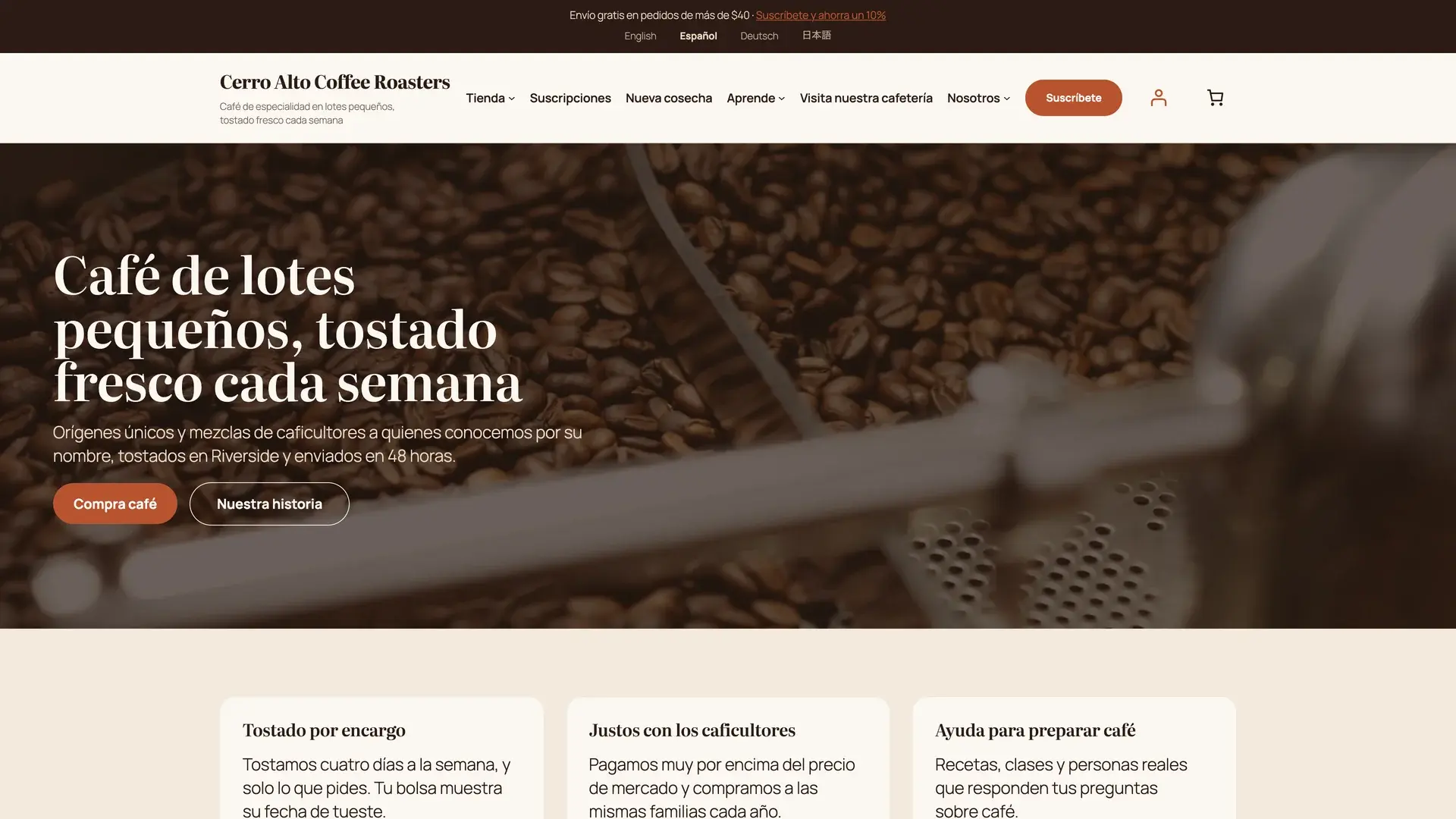
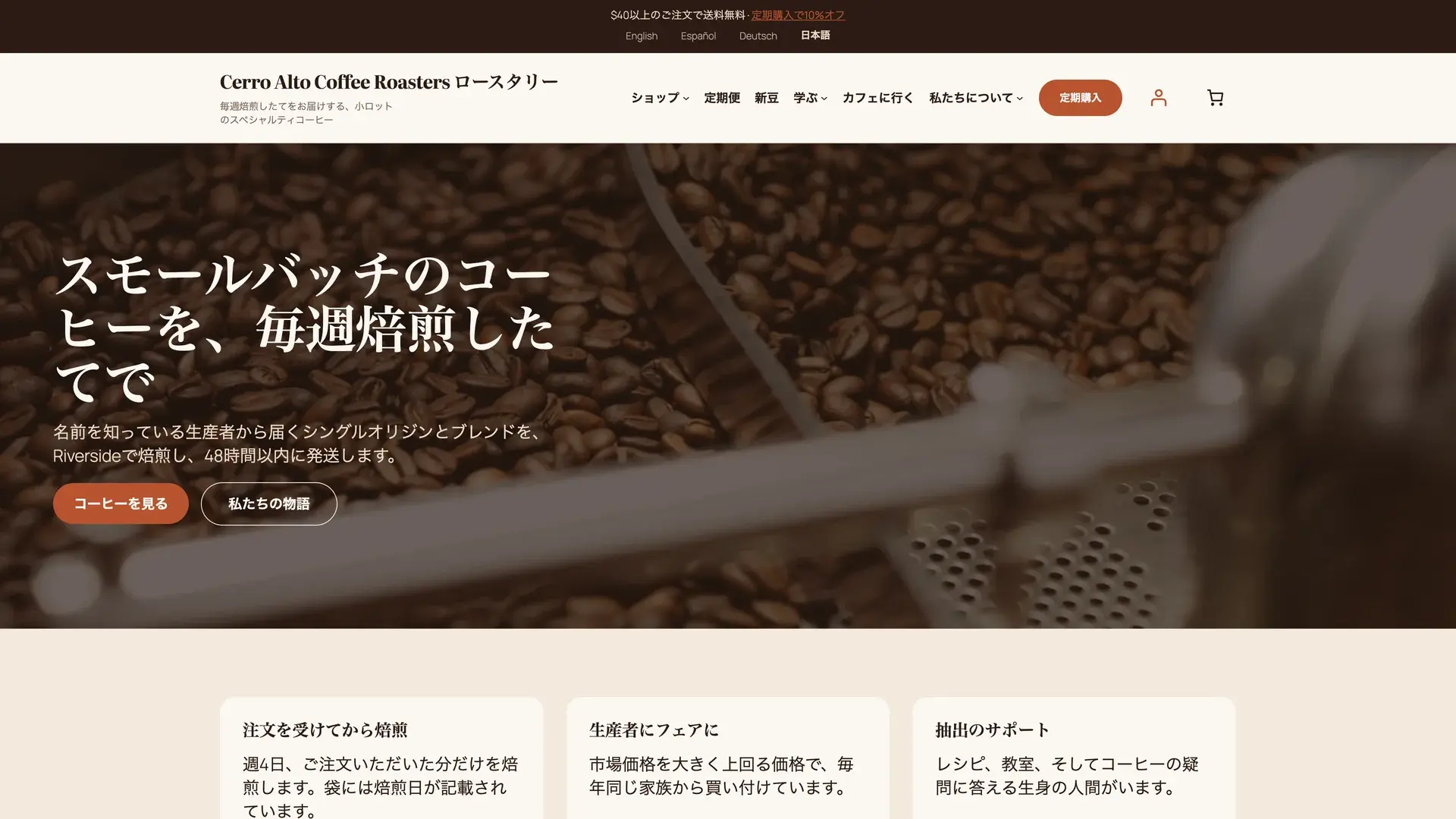
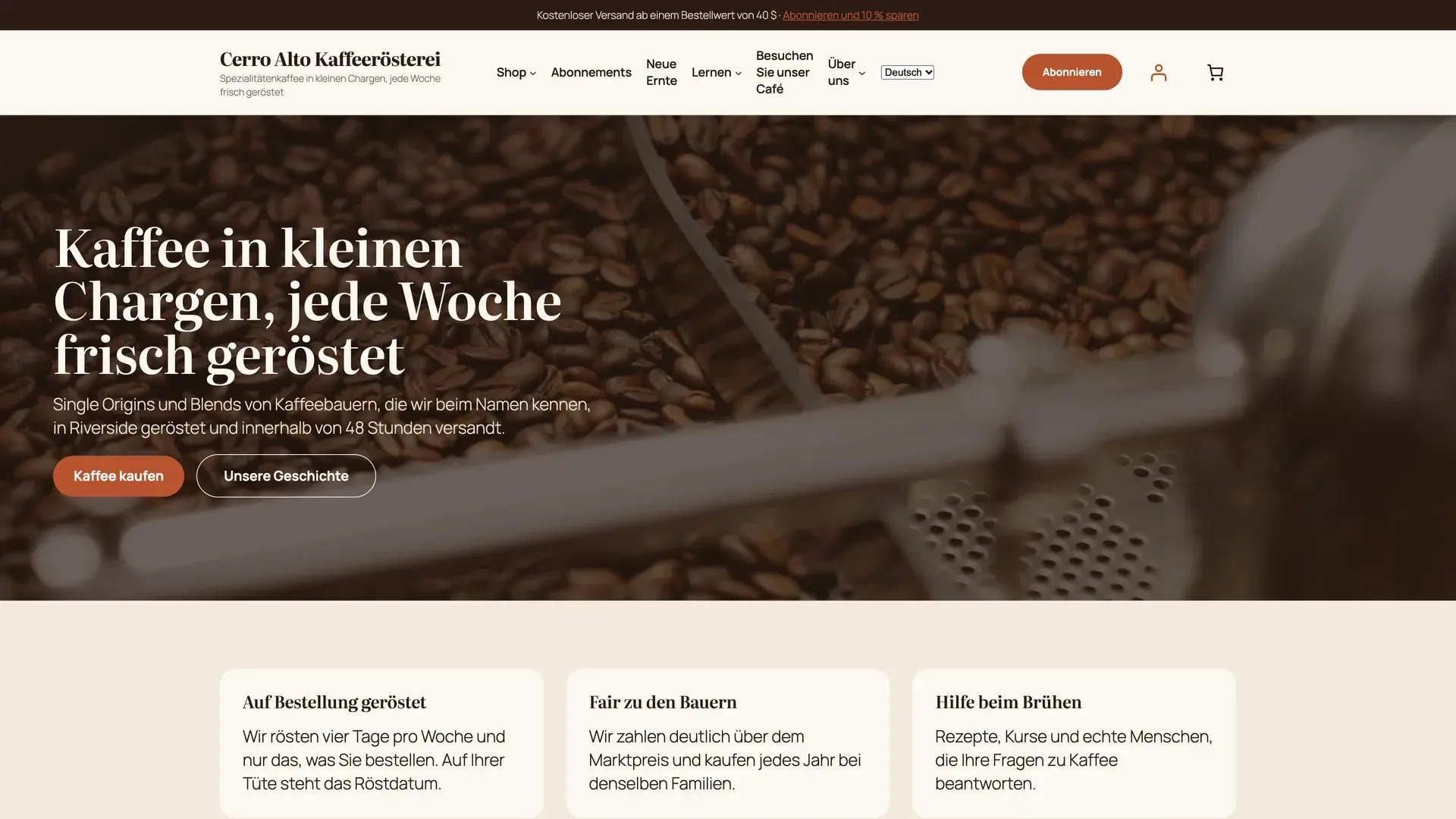
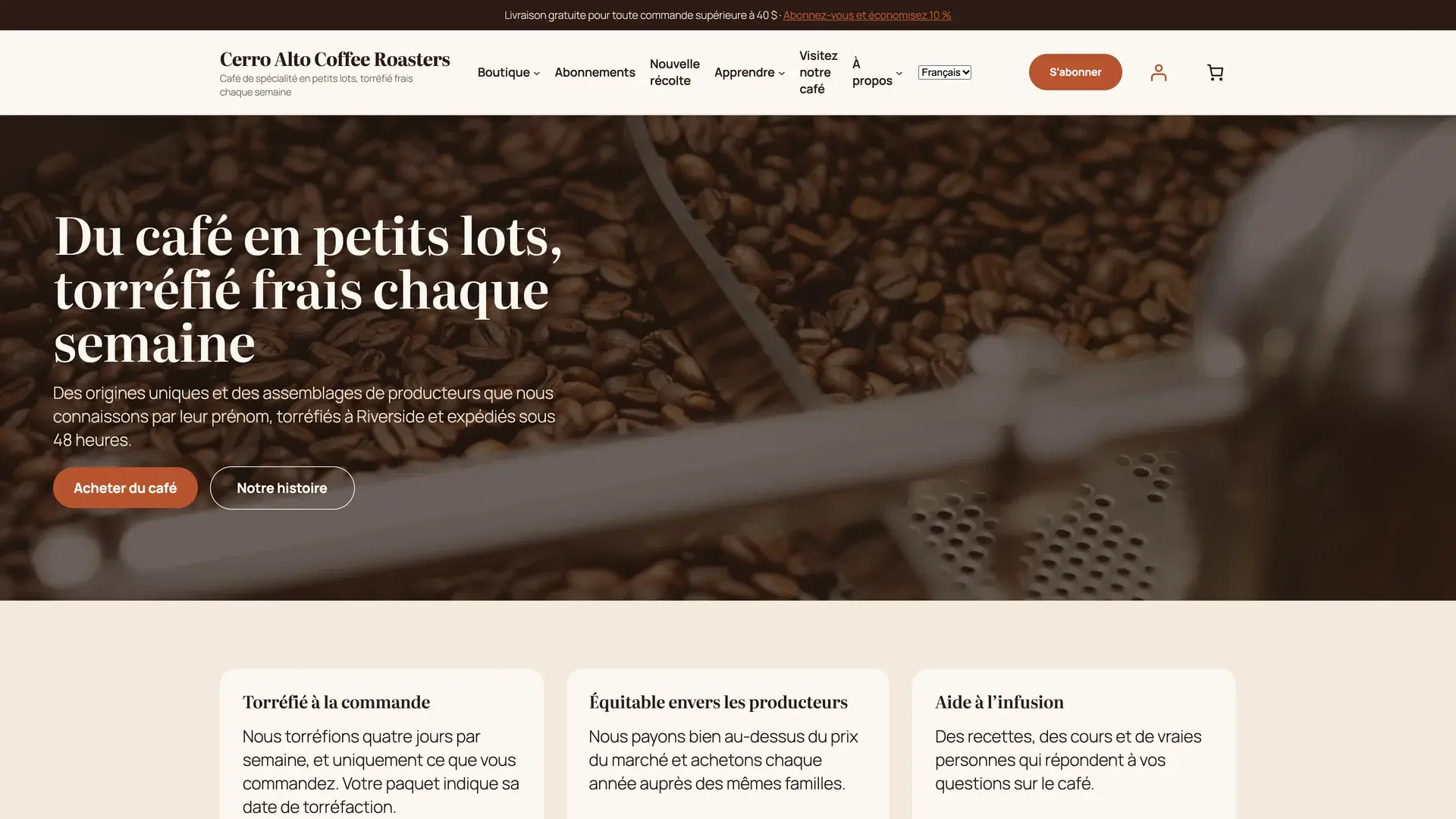
Every page, product, menu, SEO field and link of the site got translated, by both methods. How they got there is what this post is about.
The test
The test site is a coffee roaster, Cerro Alto. It has what real sites have:
- a block theme (Twenty Twenty-Five), with its header, footer and menus;
- a WooCommerce shop, with variations;
- Elementor pages, ACF fields and Yoast SEO.
That's about 26,000 words per language. Both methods translated it into Spanish, German and Japanese, starting from the same database snapshot, on the free version of Polylang. Then came the day-2 work (a new post, a new product, and an edited post), and a 4th language, French. Plus a second site, built with Bricks.
Both methods ran on the same model, Claude Sonnet 5.5, on my Claude subscription: Claude Code directly, and Gato through its Subscription Bridge extension. So the differences come from the method, not from the AI.
How I scored it
- Coverage. A script reads every translatable piece of the site (titles, content, slugs, SEO fields, menus, the header and footer, product attributes, ACF fields, image alt texts, the site strings) from the page a visitor gets, and checks that it's no longer in English. Words that stay the same in a language, like brand names, coffee varieties and place names, sit on an allow list.
- Links. It opens every link inside the translated content, and counts it when it lands on a page in the same language.
- Quality. An AI judge rated 18 texts per language from 1 to 5, on accuracy, fluency, terminology and formatting, without knowing which method wrote them. It ran 6 times, with a new shuffle each time.
- Cost. I ran both on my subscription, so I paid nothing extra. For a fair comparison, every cost below is what the same tokens cost with an API key, at Sonnet 5.5's list prices.
- Time. For Claude Code, the time it reports for itself ("Worked for…"). For Gato, the time it takes with an API key.
Claude Code, the first run
Claude Code on its own: no translation plugin, only Polylang free and WP-CLI. I typed my prompts the way a site owner would. After each round I looked at the site, and told Claude Code only what a visitor could see, never how to fix it.
This was the first prompt:
I want my WordPress site translated into Spanish, German and Japanese. It runs locally with Lando (use lando wp for WP-CLI). Polylang is installed but not activated yet; use it for the languages. Translate everything a visitor can see: pages (including the Elementor ones), posts, WooCommerce products and their variations, the ACF fields, the Projects, categories and tags, the header, footer and navigation, image alt texts, and the Yoast SEO titles and descriptions. Every link in a translated page must go to the page in the same language. Don't change the English site.
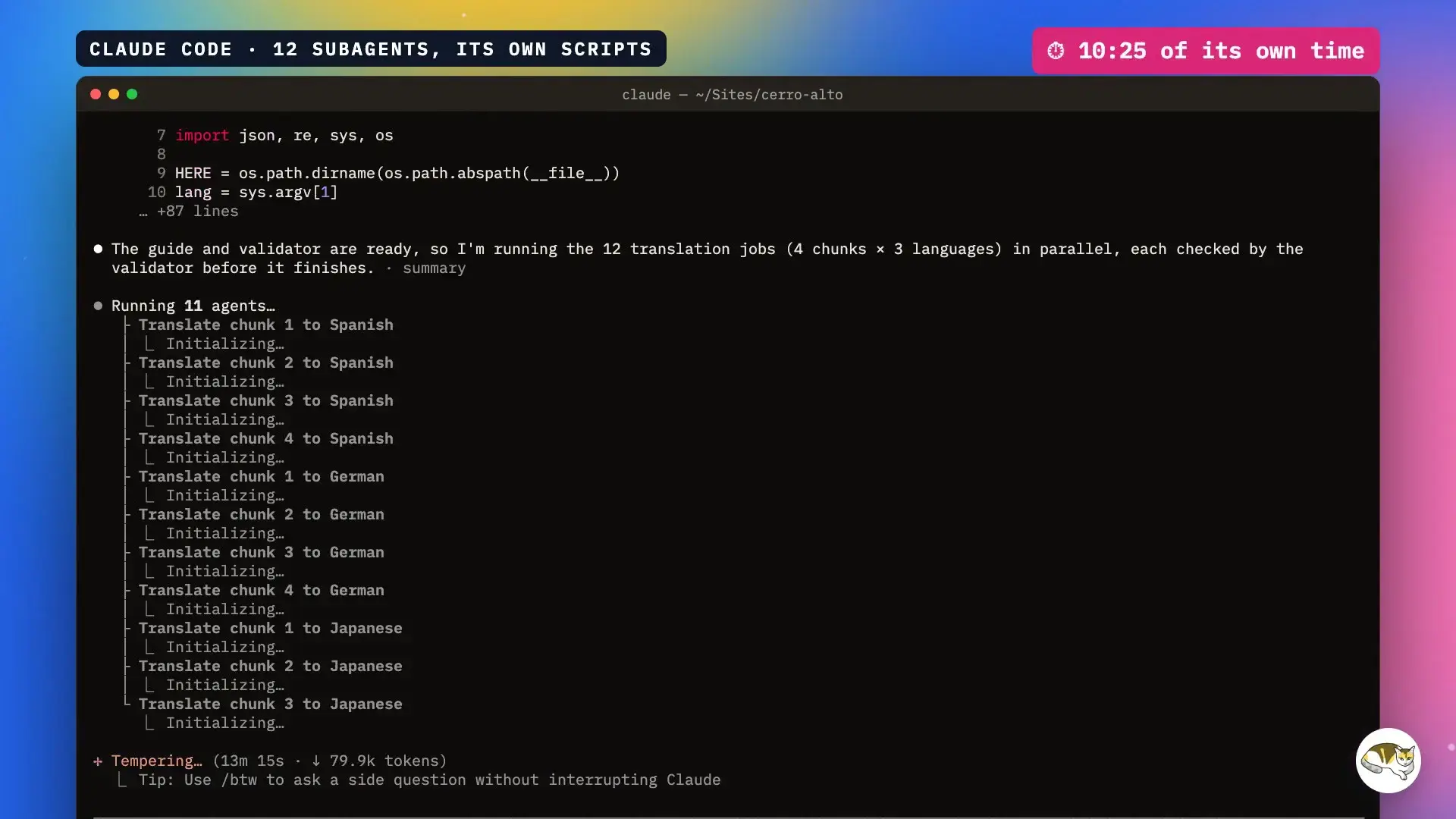
It worked for about 45 minutes, with 12 subagents. It wrote its own scripts to export and import the content, took a backup first, and wrote straight into the database.
Then came the review. Claude Code asked whether to add a language switcher, so I answered:
Yes, add a language switcher to the header, on every language including English. Changing the English header for that is fine.
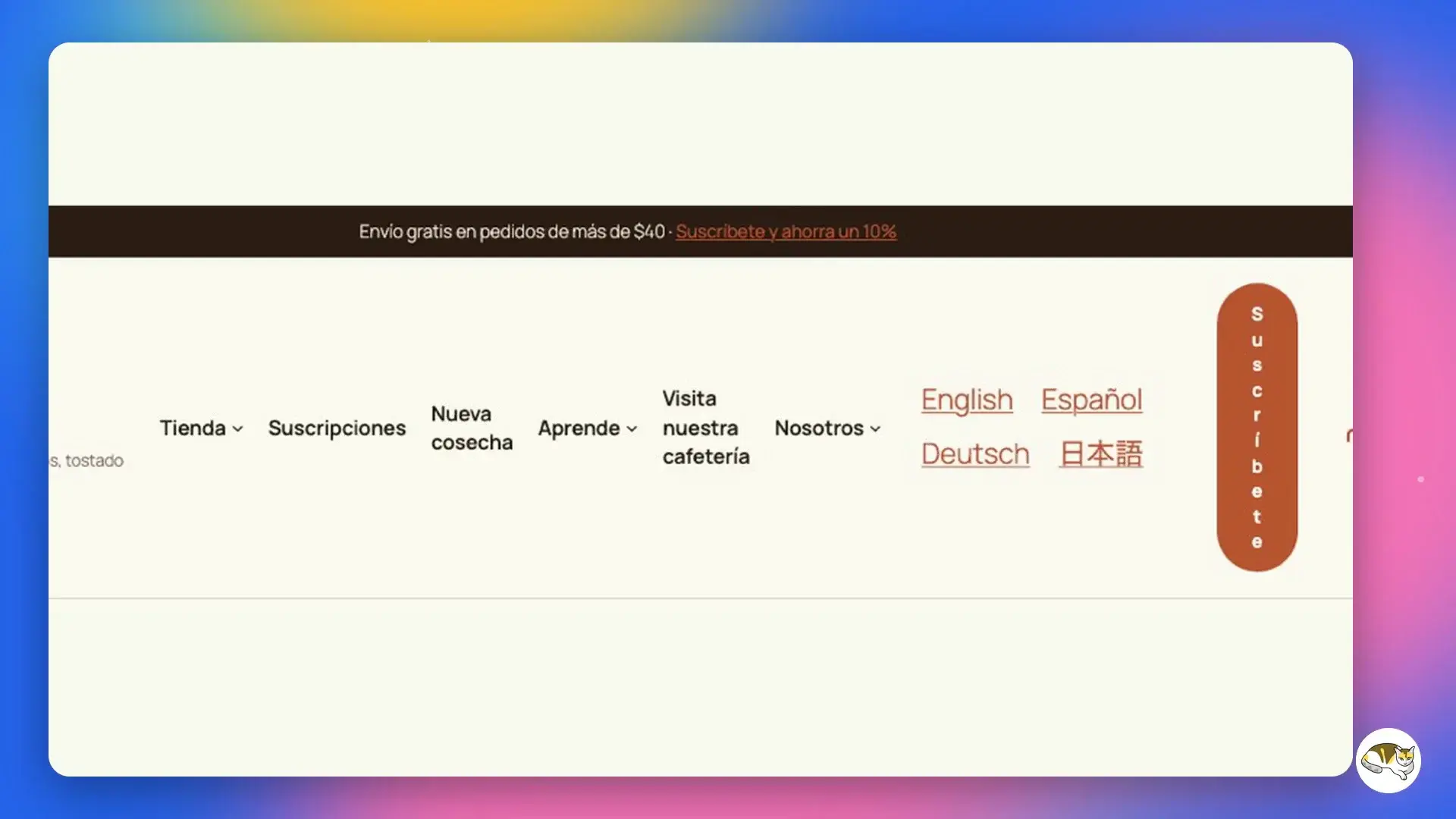
The switcher broke the header: the Subscribe button turned into a column of single letters.
So I described it:
I looked at it in the browser and the header is broken now. On desktop the Subscribe button got squeezed into a vertical column of single letters, and the language names wrap onto two lines. On my phone it is worse: the header is wider than the screen, so the page scrolls sideways, and the Subscribe button is squeezed the same way. This happens on the English site too.
Claude Code fixed it, and asked whether to keep the CSS on the English site. Meanwhile, an SEO check found a miss that no visitor sees, so I added it:
The header looks good now on my phone and on desktop. Keep that CSS on the English site too, it was a bit squeezed on mobile before anyway. One more thing: I ran an SEO check, and the Spanish, German and Japanese versions of the FAQ page all declare the English FAQ page as their canonical URL.
It fixed that too. Then I asked for the skill (more on it below).
The site was at 98% by then. On the product pages, the "Category:" and "Tags:" labels still showed in English, so I asked for 1 more round:
One more thing I noticed: on the product pages, the "Category:" and "Tags:" labels under the price are still in English, in Spanish, German and Japanese.
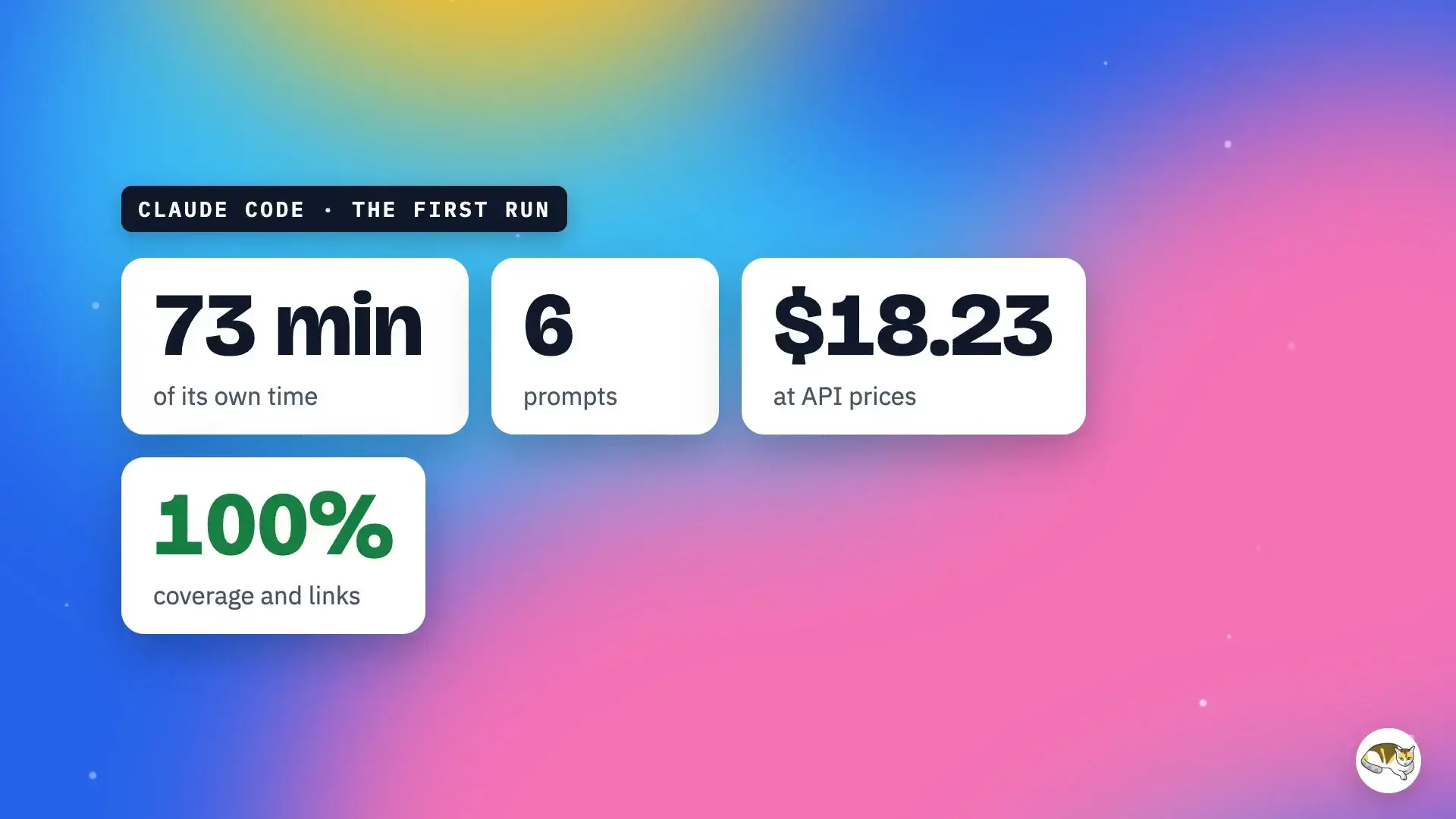
In total: 73 minutes of its own time, 6 prompts, and $18.23 at API prices, for 100% coverage and 100% of the links.
The skill Claude Code wrote
Then I asked Claude Code to turn all of that into a skill I can reuse:
Everything looks right now, thanks! I want to do the same on my other sites, and redo it when I add content. Turn what you did into a Claude Code skill that I can reuse.
It wrote it in 9 minutes: a SKILL.md with the steps, a list of pitfalls, and its scripts (export, import, the language switcher, and a set of checks). This is how it starts:
        ---
name: wp-multilingual-polylang
description: Translate a whole WordPress site into other languages with the free Polylang plugin, running through Lando/WP-CLI. Covers pages, posts, Elementor, Bricks, WooCommerce products and variations, ACF fields, custom post types, categories/tags, header/footer/navigation, image alt texts and Yoast SEO, keeps the default-language site unchanged, and can be re-run for new or changed content or an extra language. Use when the user wants a WordPress site translated or made multilingual, wants to add a language, or wants to translate content added since the last run.
---

# WordPress multilingual with free Polylang

Proven on two Lando sites: (1) block theme + Elementor + WooCommerce + ACF Pro + Yoast, 3 languages, ~170 units; (2) **Bricks** theme + Yoast, 3 languages, 45 units. ...
You can download the whole skill, as Claude Code left it at the end of the test (with the lessons it added on the Bricks site and in the later rounds):
👉 Download the skill (.zip)
(It's the skill an AI agent wrote for my test site, so expect names like cerro_alto in its code: it keeps that prefix as a namespace. I haven't edited it.)
On the Bricks site
On a new session, on the Bricks site, I asked it to use the skill:
Use my wp-multilingual-polylang skill to translate this WordPress site into Spanish, German and Japanese, the same way you did my other site. This one uses the Bricks theme. It runs locally with Lando (use lando wp for WP-CLI), and Polylang is installed but not activated yet.
It asked about the language switcher again, since the skill didn't keep my answer. So I gave the same answer as before:
Yes, add a language switcher to the header, on every language including English. Changing the English header for that is fine.
Then it asked whether to keep the menu labels on one line. And on my phone, the German home page was too wide:
Yes, keep the menu labels on one line, the English change is fine. Also, on my phone the German home page is a bit too wide: it opens zoomed out compared to the Spanish and Japanese ones, and I can scroll it sideways a little. The big headings look like the cause.
That got it to 100%: 17 minutes, 3 prompts and $4.55. Then I asked it to fold what it learnt into the skill:
Leave the posts grid as it is, I will handle that one myself. The translation looks good now. Please fold what you learnt on this site (the Bricks notes, the switcher, the header fixes) into my wp-multilingual-polylang skill, so next time it works on both kinds of site without these extra rounds.
The main site again, from scratch
I restored the main site to its snapshot, and asked again, now with the skill:
Use my wp-multilingual-polylang skill to translate this WordPress site into Spanish, German and Japanese, with a language switcher in the header on every language, English included. It runs locally with Lando (use lando wp for WP-CLI), and Polylang is installed but not activated yet.
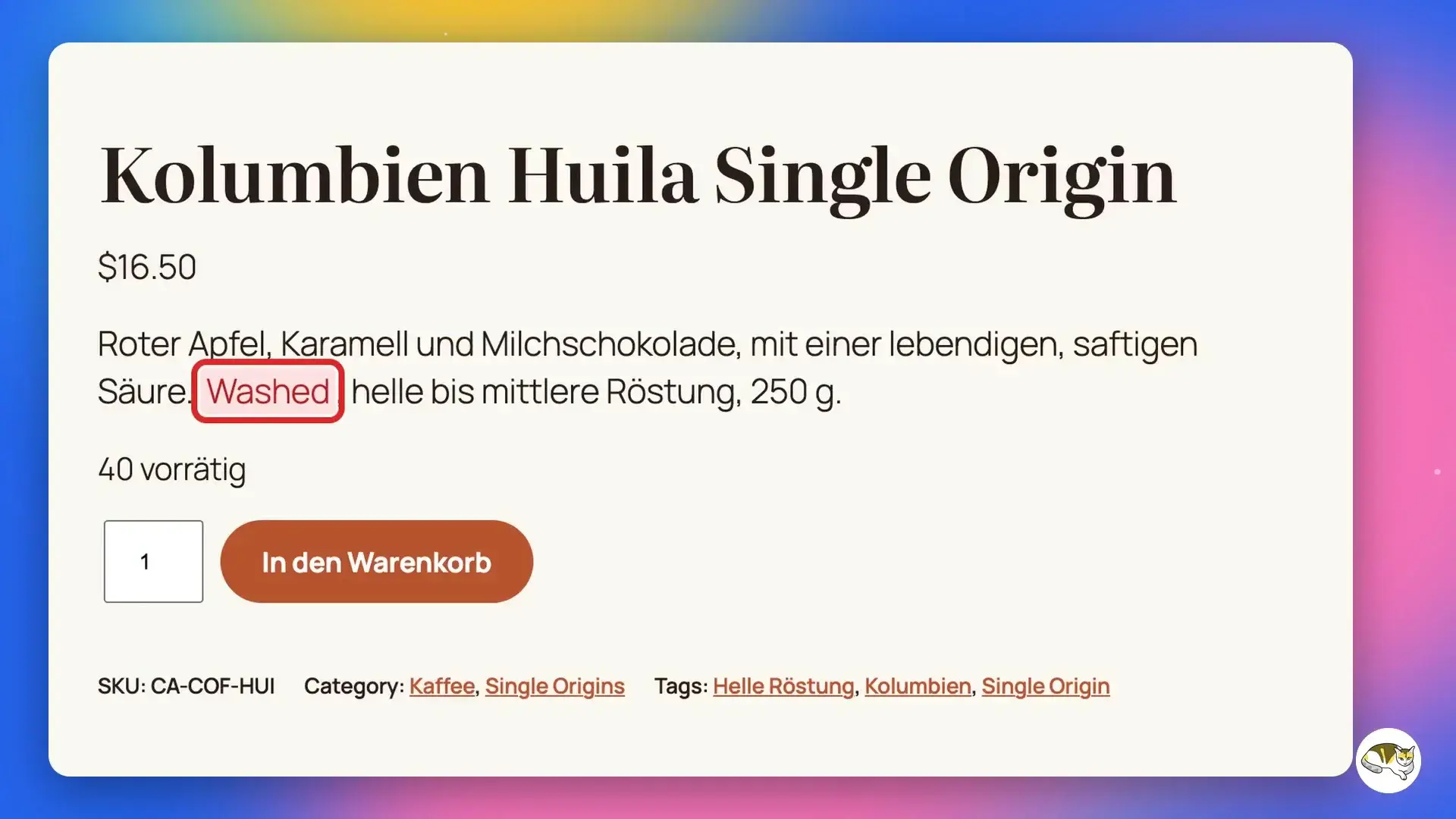
It still needed 2 more prompts. First, the German product pages said "Washed" in English:
Looks great. One thing I noticed: on the German product pages for Colombia Huila and Ethiopia Yirgacheffe, the line with the coffee facts still says "Washed" in English.
And then the "Category:" and "Tags:" labels, plus an extra button in the German header:
One more thing I noticed: on the product pages, the "Category:" and "Tags:" labels under the price are still in English, in Spanish, German and Japanese. And the German header shows an extra button in English, "Subscribe", next to "Abonnieren".
That took 44 minutes, 3 prompts and $8.88, for 100%.
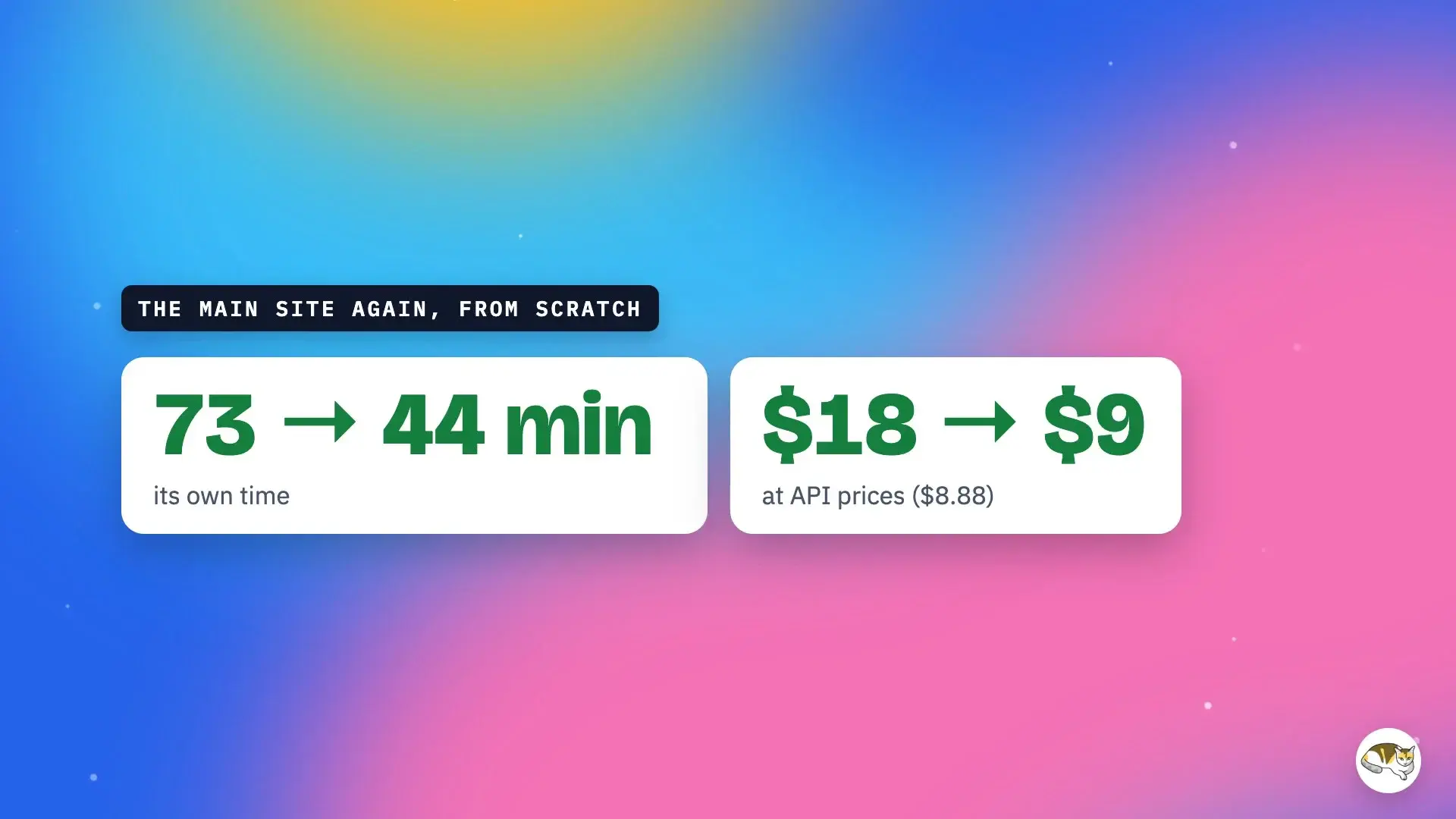
So the skill helps: 40% less time, and half the cost. But every run is still a session that somebody has to watch and review.
Claude Code, day 2 and French
Next came the day-2 work. I added a new post and a new product, and changed the title and the content of another post:
I added new content to my site since you translated it: a new blog post ("How to Cup Coffee at Home, Like We Do at the Roastery") and a new product ("Guatemala Huehuetenango Single Origin", with size and grind options). I also updated the post about storing coffee beans: it has a new title, a new section about the fridge, a new FAQ question, and a new meta description and key takeaway. Use my wp-multilingual-polylang skill to translate the new and changed content into Spanish, German and Japanese.
Along the way, the new title changed the Spanish and German slugs, and 9 links per language returned a 404. Claude Code found that by itself, and fixed it. Nice!
But "Washed" came back, on the new product:
Thanks. One thing: on the German page of the new Guatemala product, the line with the coffee facts still says "Washed" in English.
Claude Code fixed that one field, and asked whether to use "Gewaschen" everywhere:
Yes, use "Gewaschen" everywhere in German, and update the glossary in my skill so it stays that way next time.
(It updated the glossary in the site's folder. The skill itself still has no such row, so the next site starts without it.)
In total, day 2 took about 11 minutes, 3 prompts and $1.20, for 100%.
Then French, for the whole site:
Great. Now I want to add French as a fourth language. Use my wp-multilingual-polylang skill to translate the whole site into French too, with French in the language switcher.
Its report said that the "Category:" and "Tags:" labels on the product pages stayed in English. So:
Yes, please translate the "Category:" and "Tags:" labels on the product pages too, in every language.
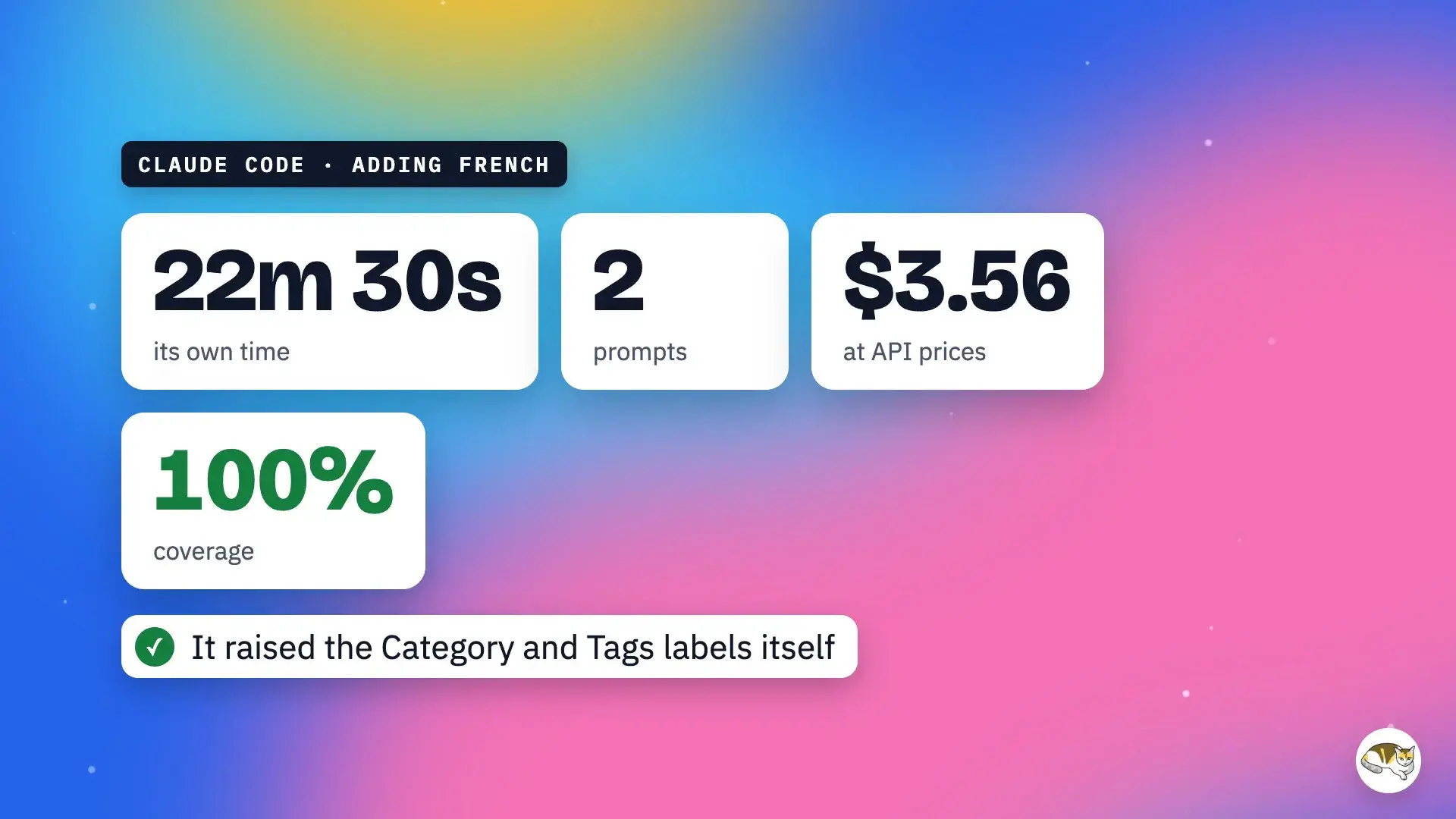
French took 22 minutes, 2 prompts and $3.56, for 100%.
Gato AI Translations
Now Gato. I installed the plugin with its 1-Click All-Translations and WooCommerce extensions, and picked Claude as the provider. Then I did what its check before starting asked for:
- create the translations of the header, footer and menus automatically;
- turn on the translation of ACF blocks;
- copy 4 custom fields.
All on the free version of Polylang.
Then, 1 click. Phase 1 translated the content, and phase 2 fixed the links, while I did something else.
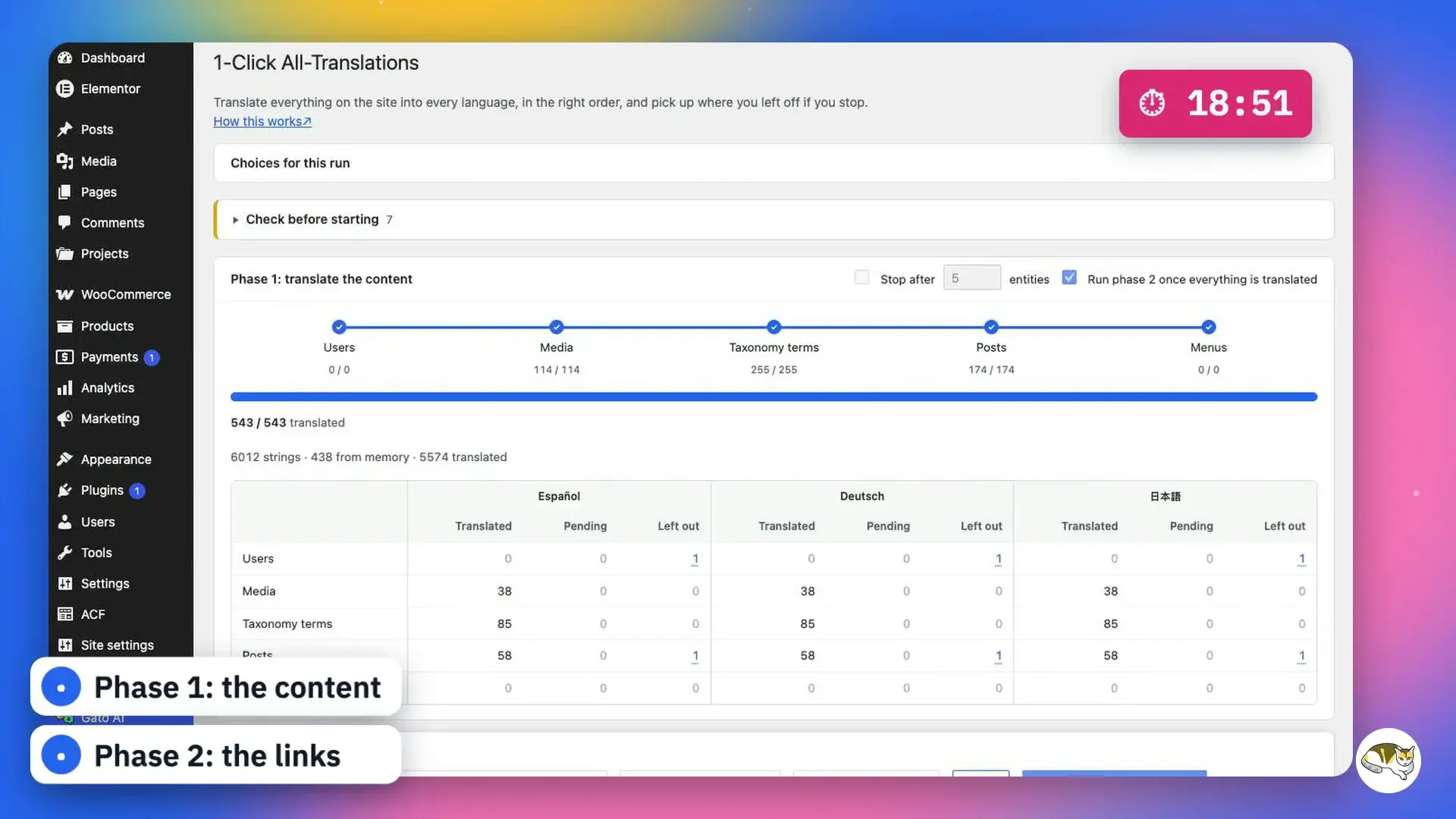
With an API key, this takes about 12 minutes, for $6.18. I ran it through the Subscription Bridge instead, on my Claude plan, so it cost me nothing extra: it took 20 minutes, and about 14% of my 5-hour limit.
Coverage after the click: 99.7% in Spanish, 99.4% in German and 99.8% in Japanese, and 100% of the links. What it missed:
- 2 German URLs kept the English words: french-press-guide and cold-brew-vs-iced-coffee (the German titles start with the loanwords "French-Press-Guide" and "Cold Brew oder Iced Coffee");
- the Spanish SEO title of the Apparel category stayed "Cerro Alto Apparel".
I fixed those 3 by hand in a couple of minutes, and that got it to 100%. No second pass, and no prompts.
The rest went like this:
- Day 2: 1 click for the new post and the new product, and the Gato Translate button on the edited post. About a minute and a half, for $0.30, and 100%.
- French: add the language in Polylang, and 1 click. 14 minutes, $1.91, and 100%.
- The Bricks site: 1 click, about 4 minutes, $1.43, and 100%.
Same model, same quality?
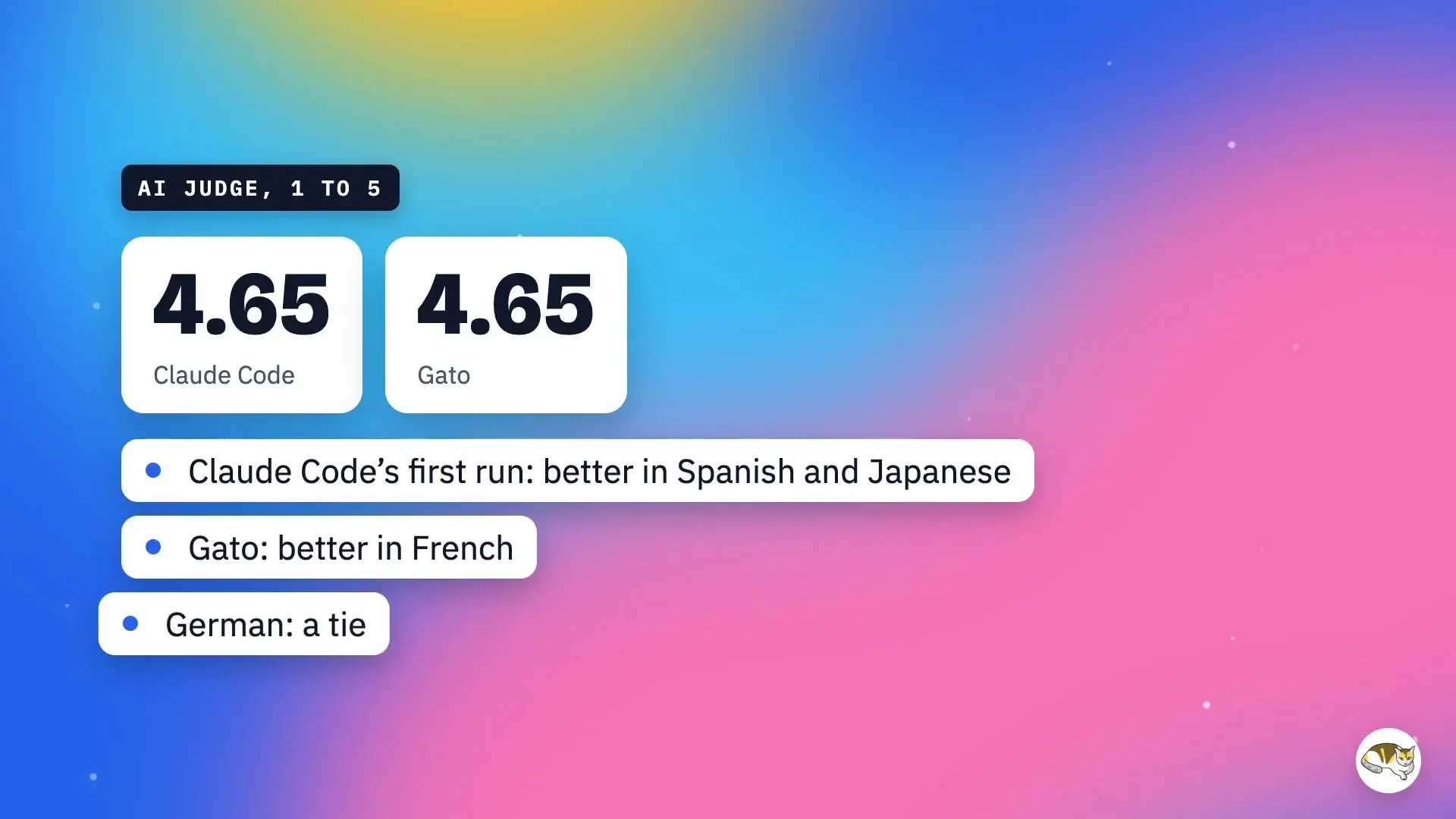
Same model, so is the quality the same? Yes: the AI judge gave both 4.65 out of 5.
| Language | Claude Code, first run | Claude Code, with the skill | Gato |
|---|---|---|---|
| Spanish | 4.83 | 4.72 | 4.64 |
| German | 4.62 | 4.73 | 4.71 |
| Japanese | 4.57 | 4.48 | 4.46 |
| French | 4.65 | 4.80 | |
| Mean | 4.67 (3 languages) | 4.65 | 4.65 |
Claude Code's first run is better in Spanish and Japanese, Gato is better in French, and German is a tie. Each one loses on a few word choices, not on a pattern. For instance, Gato wrote formal German (Sie) where the blog uses du, and Claude Code lost a Japanese variation description (3.29, against 4.62 for Gato).
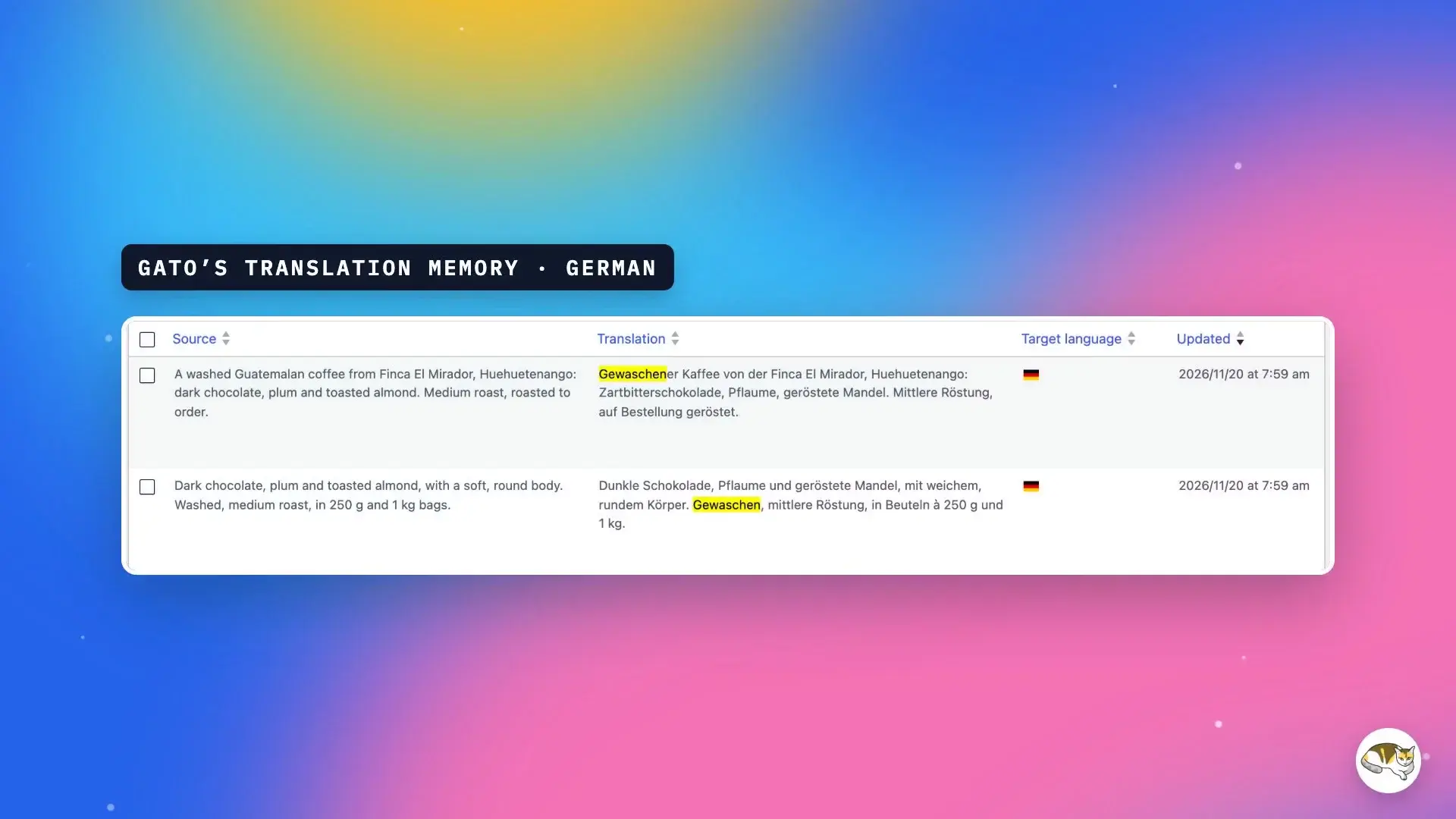
The differences come from how each one works. Claude Code reads the whole site, and writes its own glossary first. Gato sends each field with its context, and reuses what it translated before: 438 texts came from its translation memory on the main site.
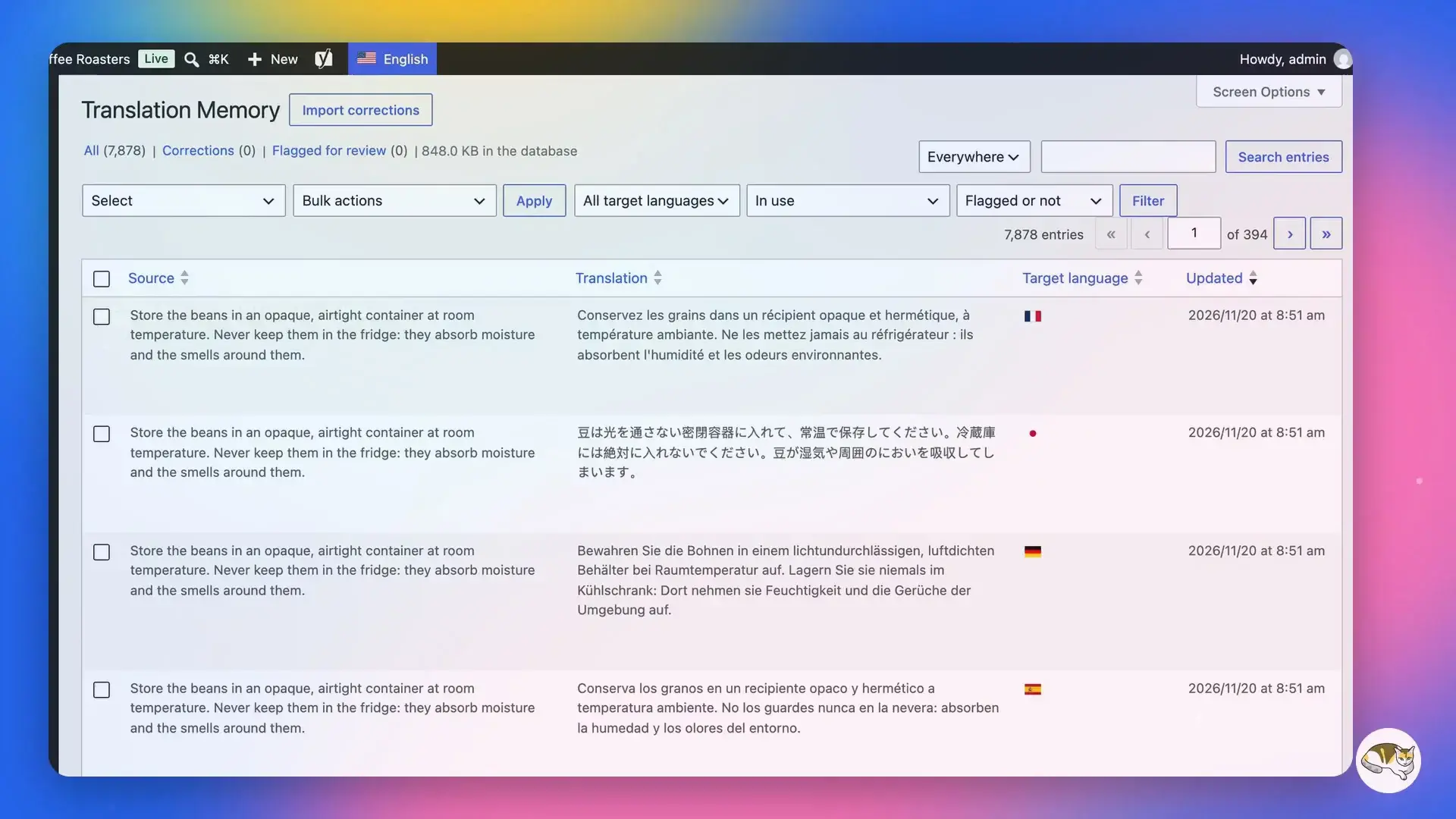
That's why the German product pages said "Washed" in English with Claude Code, 3 of them across its runs, and "Gewaschen" on every page with Gato:
Two more things:
- SEO lengths. Gato kept every SEO title under 60 characters and every meta description under 160, in all 4 languages. Claude Code went over in Spanish, German and French: 3 or 4 per language with the skill (from 2 to 6 per language across all its runs).
- Layouts. Neither one broke a single block, Elementor or Bricks layout, or HTML tag.
The full comparison
Here's everything side by side:
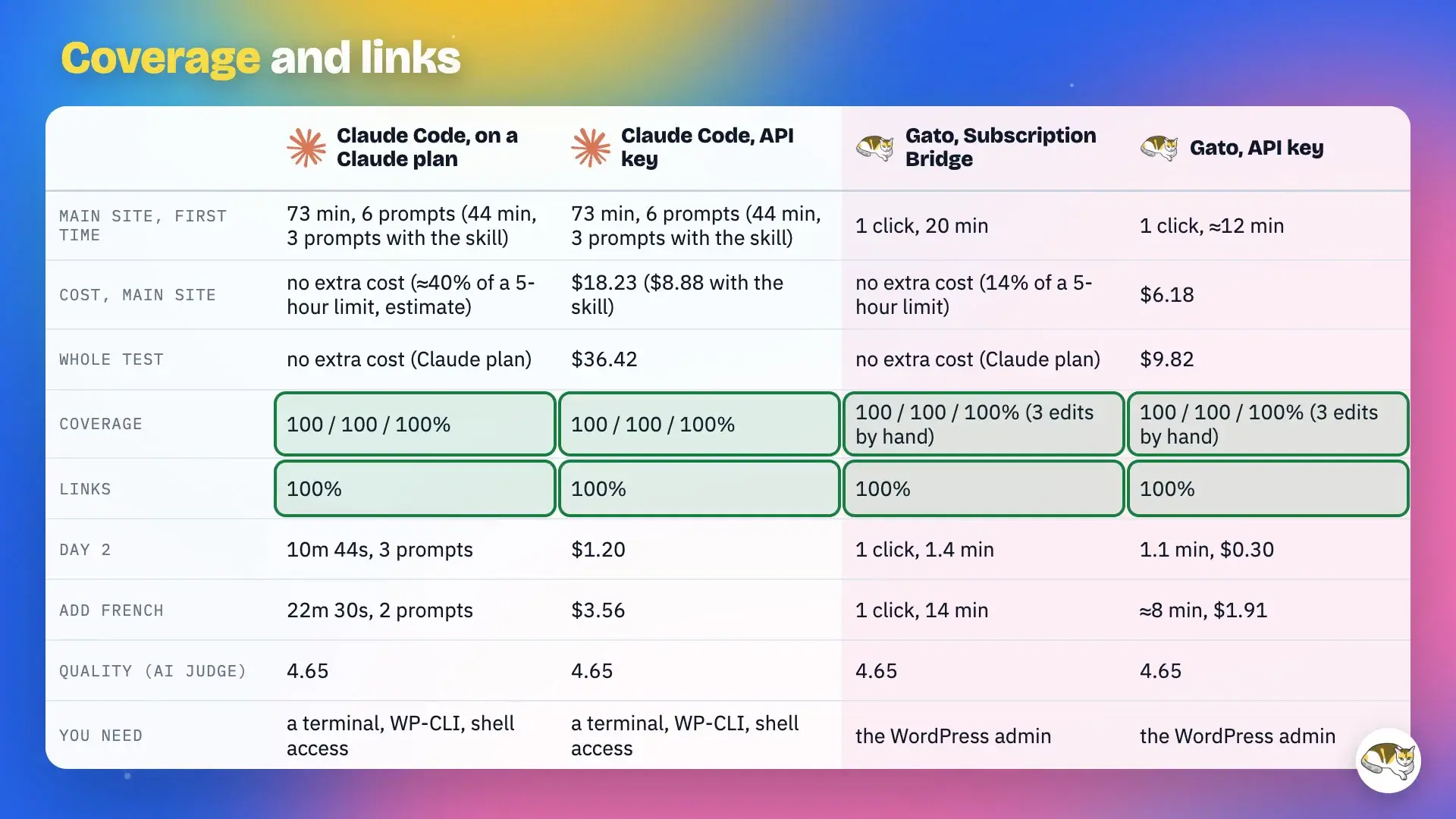
| Claude Code | Gato AI Translations | |
|---|---|---|
| Main site, first time | 73 min, 6 prompts | 1 click (≈12 min with an API key) |
| Main site, with the skill | 44 min, 3 prompts | (the same click) |
| Bricks site | 17 min, 3 prompts | 1 click, ≈4 min |
| Day 2 | 11 min, 3 prompts | 1 click + Gato Translate , ≈1.5 min |
| Add French | 22 min, 2 prompts | 1 click, 14 min |
| Coverage | 100 / 100 / 100% | 100 / 100 / 100%, after 3 edits by hand |
| Links | 100% | 100% |
| AI judge (1 to 5) | 4.65 | 4.65 |
| SEO titles and descriptions over the limit | 3 or 4 per language (with the skill) | 0 |
| Cost of the whole test, at API prices | $36.42 | $9.82 |
| What you need | a terminal, Claude Code, WP-CLI and shell access | the WordPress admin |
(The times are Claude Code's own count, and Gato's API time. The $36.42 covers everything Claude Code did: the first run with its 6 rounds, the skill run, the Bricks site, day 2 and French. The $9.82 covers Gato's main site, Bricks site, day 2 and French.)
In money, at API prices, Gato cost about $10 for the whole test, and Claude Code about $36. In time, Gato took clicks, and Claude Code took sessions and prompts. Coverage and links: both at 100%, Gato after 3 small edits by hand.
A site 50 times bigger
Now make the site 50 times bigger: about 1,000 posts, 1.3 million words per language, into 3 languages. From these runs, I estimate:
- Gato: about 10 hours, for about $310. You click the button before going to bed, and the next morning, the site is translated.
- Claude Code: about 30 hours of sessions, for about $400. That's 4 working days with somebody at the keyboard, answering its questions and checking its work.
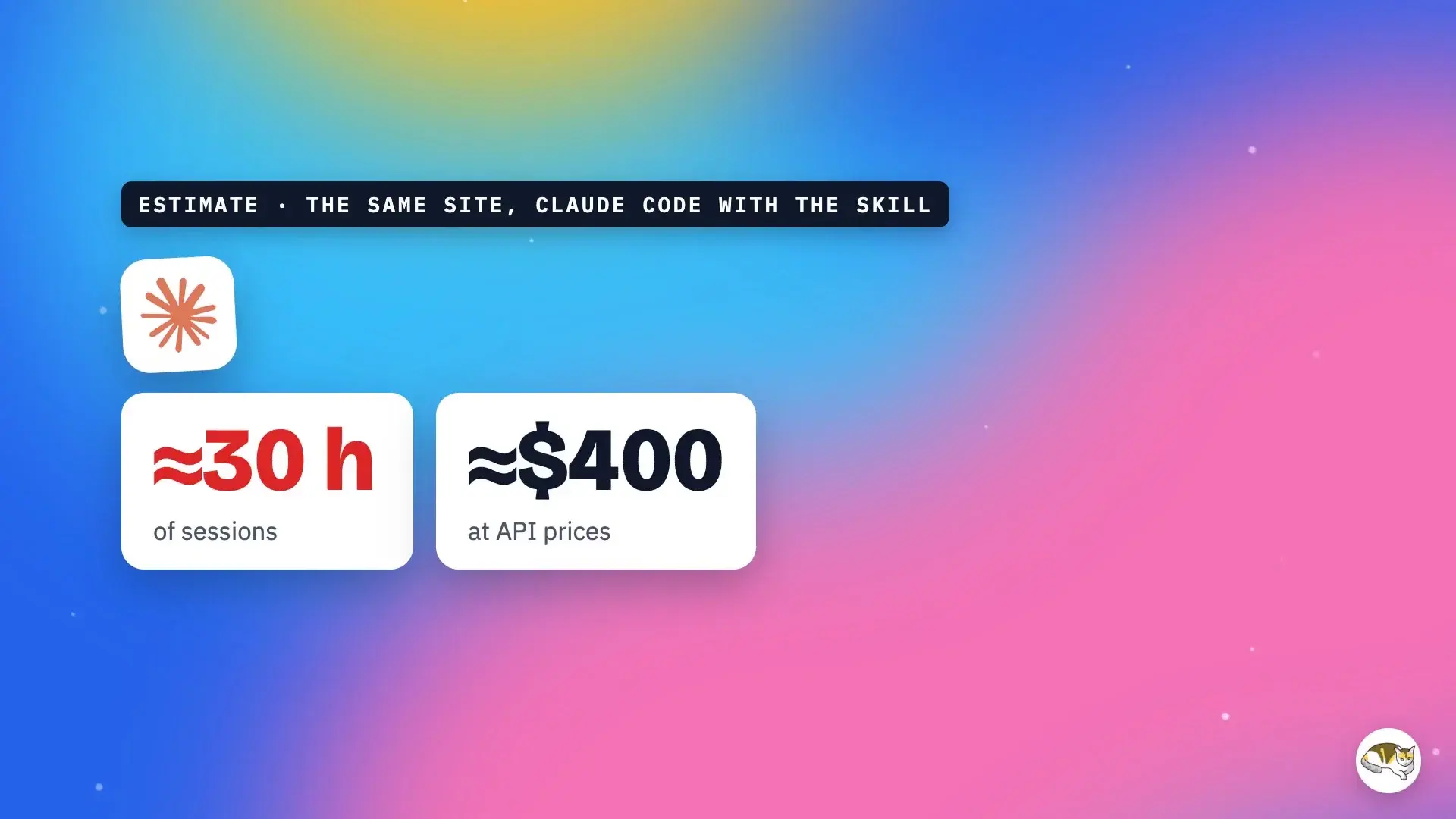
(Both estimates multiply the measured runs by 50. For Claude Code, I used its cheapest run, the one with the skill, since on a big site you'd write the skill first. At the rate of its first run, it would cost about $900.)
So the money is close-ish. The time is not. Do you have those 30 hours?
Who should use what
So, which one should you use?
Use Claude Code if:
- you're a developer, and you have shell access to the server;
- you translate a site once;
- you need something a plugin doesn't touch, like the CSS. (Gato didn't fix the German Bricks page that's too wide on a phone. Claude Code did, when I asked.)
It fixed every issue I described. But somebody has to drive it, and check its work, every time.
Use Gato if:
- the people who run the site aren't developers;
- you add content every week;
- you have many sites.
Your editor writes a new post and clicks Publish, and Gato translates it into every language. They fix a sentence and click Update, and Gato translates only what changed. All inside WordPress: no terminal, no developer, no session to start.
So if your client keeps adding content every week, do you want to open a Claude Code session every time? With Gato, nobody has to. And the next site is the same 1 click.
With both, you pay for the same model. And with the Subscription Bridge, Gato runs on the same Claude subscription as Claude Code. The difference is who does the work: you and Claude Code, in a terminal, or the plugin, while you do something else.
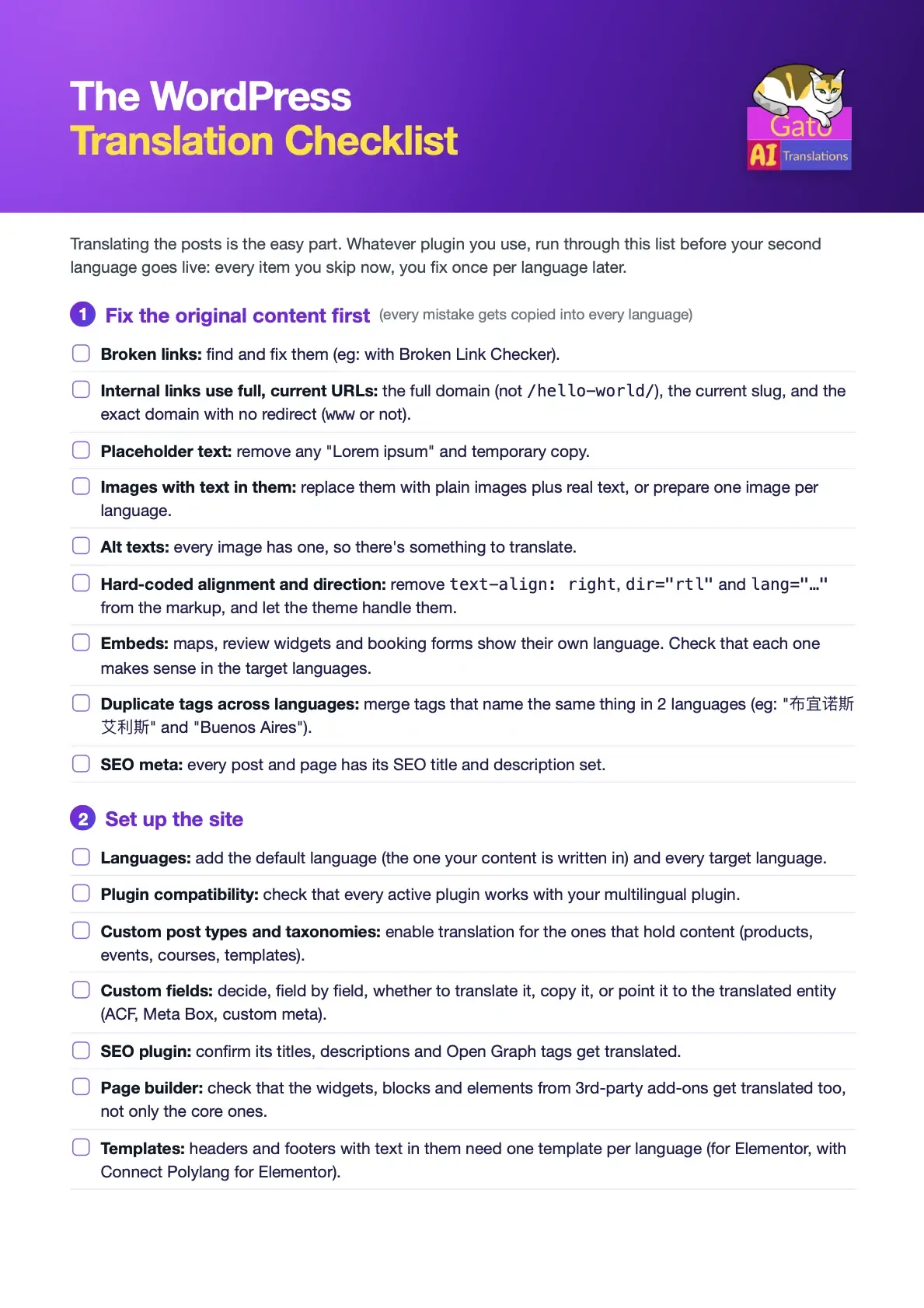
Before you start, whichever way you pick, check your site with this checklist. It lists what to fix in your content before translating it, so no method trips on it:
(If you want to compare more ways to translate WordPress, I tested 7 of them on a similar site.)
Which method should I test next? Tell me in the comments of the video. And if you'd like to try Gato on your own site, check out the pricing.
See you in the next test! 🙏