 AIFeed
Bambu Lab P3C Launched: Starting at 6,374 Yuan After National Subsidy, the Next Generation of 3D Printers Begins Competing on Value
2026-11-25 17:00
Less than a month ago, Bambu Lab had just raised the ceiling of its desktop 3D printers' multi-material printing capability with 9 automatically switching print heads.
Yesterday, that technology was handed down to the P series, Bambu Lab's main product line for the mass market.
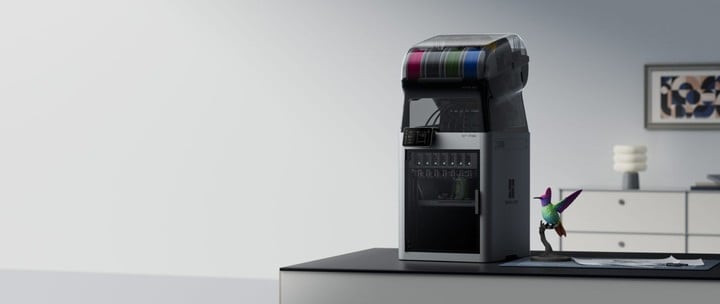
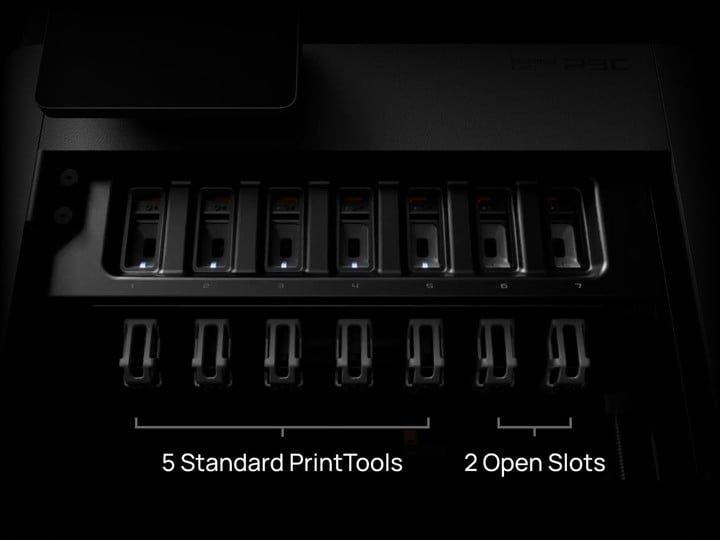
The all-new third-generation P series 3D printer, the P3C, comes standard with 5 automatically switching print heads and reserves two additional slots for users to configure freely, supporting up to 7 tool heads. The estimated price after national subsidy starts at 6,374.2 yuan.
The previously launched flagship H3C can not only use multiple print heads for efficient multi-color printing, but also pair with filaments of different hardness and nozzles of different diameters, balancing color, precision, and the physical properties of different materials within a single print job.
However, for most ordinary enthusiasts, the H3C's capabilities are somewhat excessive. Daily printing may not require such a large build volume, and rarely involves engineering materials with high temperature requirements, yet the new possibilities brought by multi-color and multi-material printing are indeed quite appealing.
This time, Bambu Lab offers a more cost-effective choice. The P3C retains the H3C's multi-head flash-switching technology and tool head expansion capability. The two reserved slots can be used to add colors, or fitted with print heads specifically for printing ultra-soft materials, or even a pen or a cutting blade.
Five spools of plastic—how many colors can they print?
The changes brought by multi-head printing are first reflected in the colors of the models.
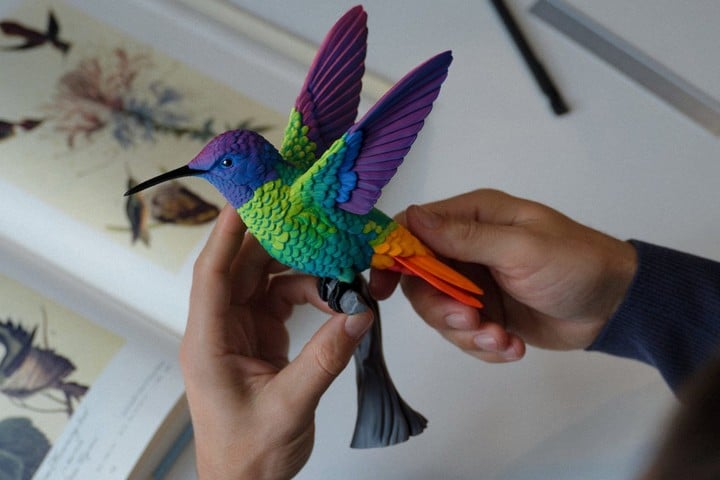
Take this hummingbird model printed with the P3C: from the head and chest to the feathers on its wings, it displays rich colors and delicate gradients, with no post-painting applied to the entire model.
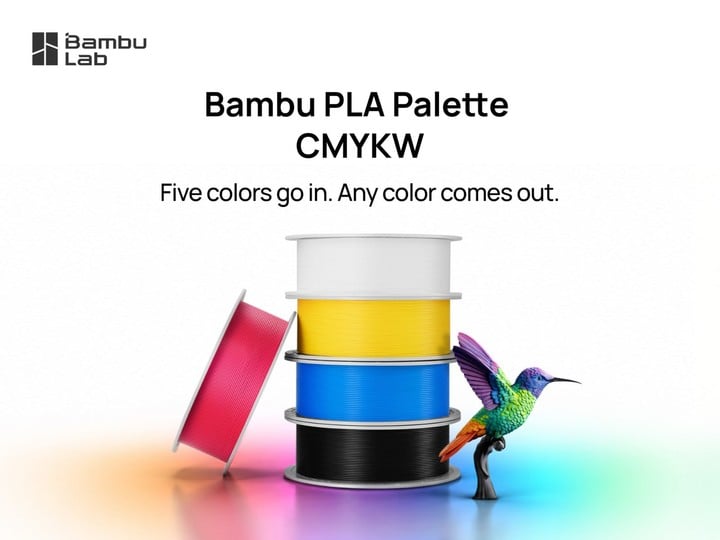
This time, Bambu Lab adopted a "layered color printing" approach similar to traditional flatbed printing. By alternately printing five dedicated PLA filaments in cyan, magenta, yellow, black, and white (CMYKW), and leveraging the visual overlay effect of different colors, it can present a rich range of colors far beyond the five base colors on the model surface.
The P3C's standard 5 print heads happen to correspond to these five colors.
Compared with conventional multi-color printing, layered color printing requires much more frequent filament switching. A richly colored gradient model may involve hundreds or even thousands of color switches; even if each color change takes only a dozen or so extra seconds, the accumulated total can add several hours of printing time.
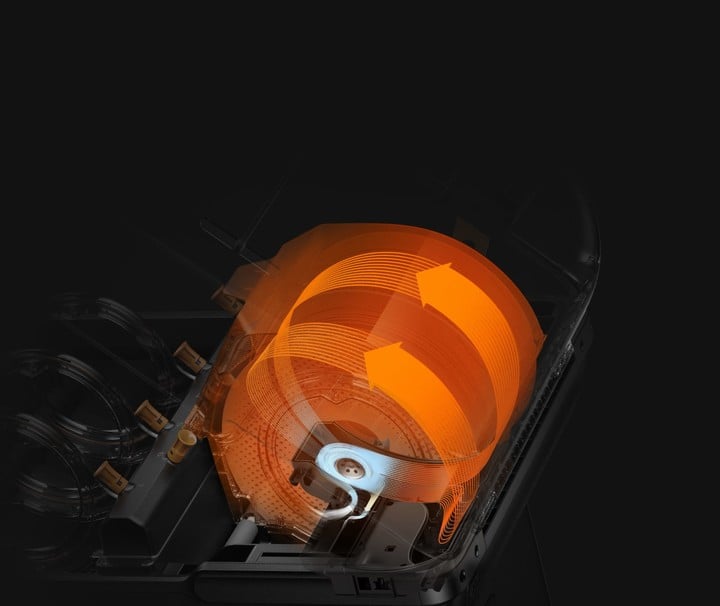
The P3C is equipped with the same generation Swaptek multi-head flash-switching system as the H3C. Each print head has its own independent feed channel and heating system, so filament can stay in its respective print head; when a color change is needed, the machine simply swaps the entire print head.
At the same time, the system preheats the print heads to be used next based on the upcoming print job, scheduling the heating time that would otherwise require waiting into the working time of other print heads—a feature inherited from its bigger brother, the H3C.

According to Bambu Lab's laboratory data, the P3C takes only 3.4 seconds to complete a mechanical head swap, and as little as 6 seconds from head swap to resuming printing with the new filament, with material loss per swap as low as 0.038g.
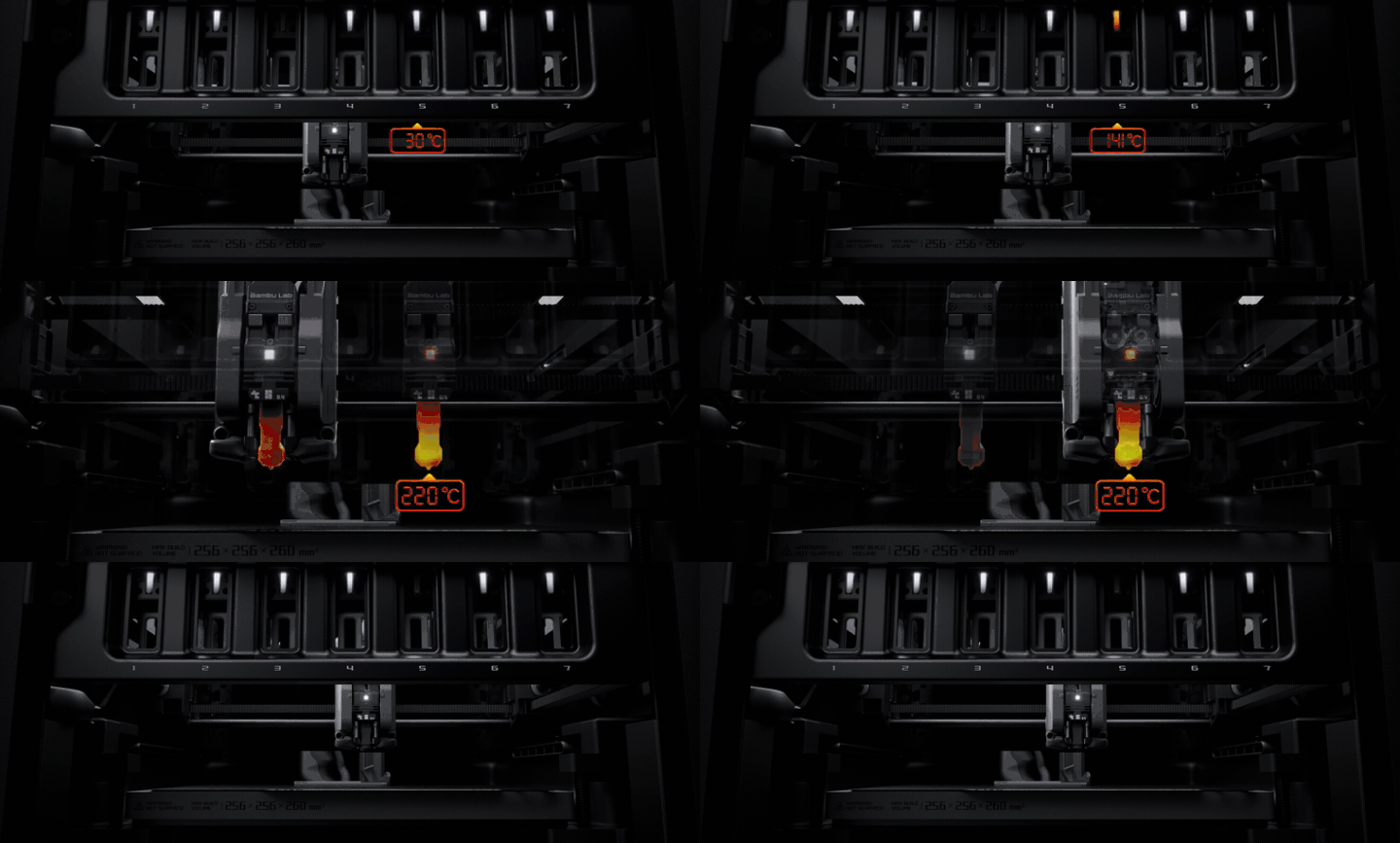
Taking a model that requires 1,000 filament switches as an example, calculated at the official fastest filament change speed, the entire filament changing process takes about 100 minutes in total. For complex color models that often take one or two days to print, the improved filament change efficiency also makes high-frequency color switching more practical.
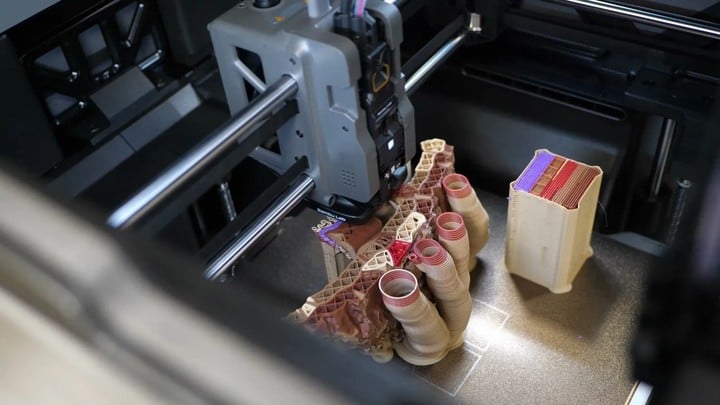
Image | CNC Kitchen
The P3C also retains the liftable rack from the H3C. When a head swap is needed, the entire row of racks lowers to complete the docking; during printing, idle print heads are raised, which both leaves room for the working print head to move and reduces obstruction of the print area.
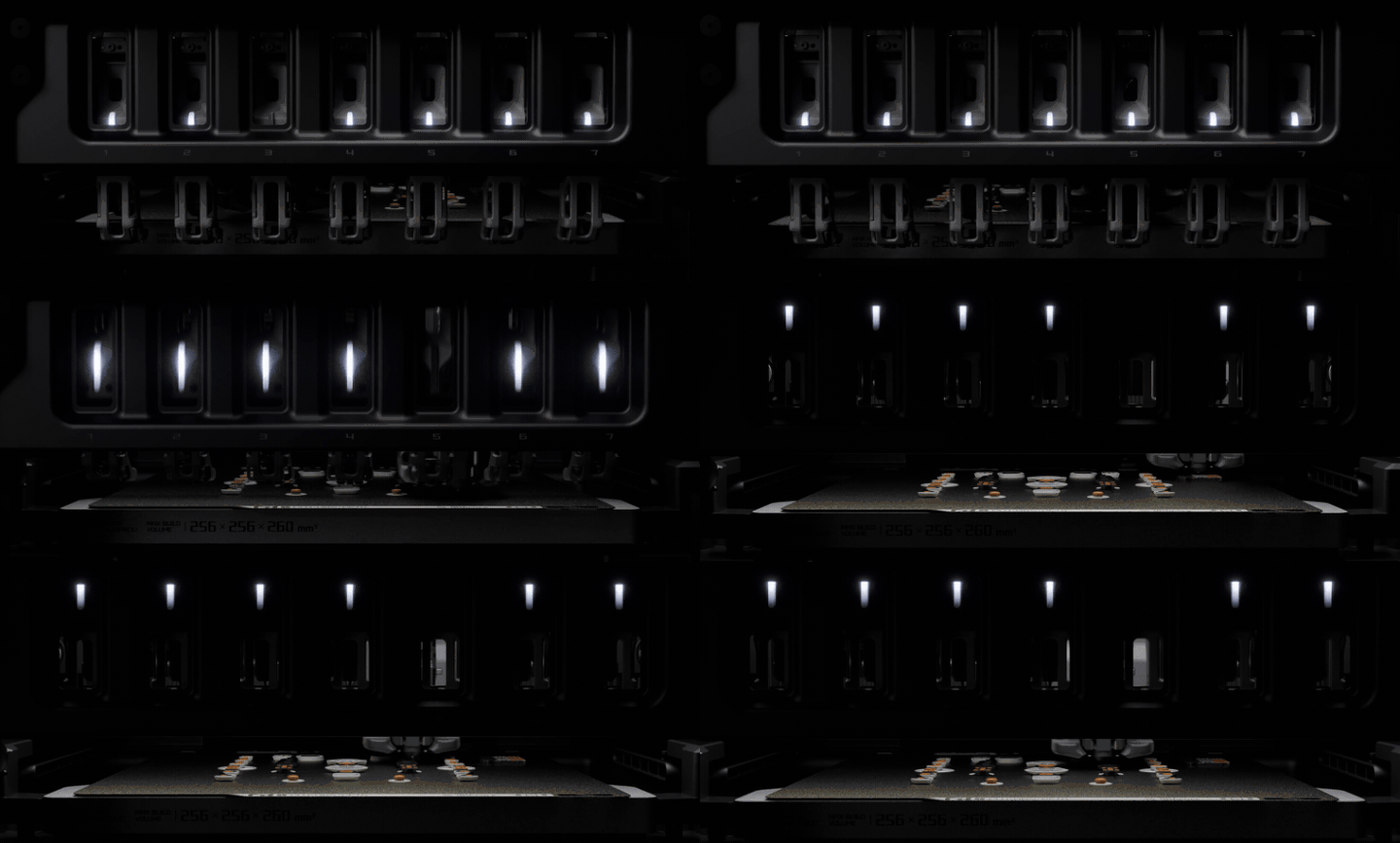
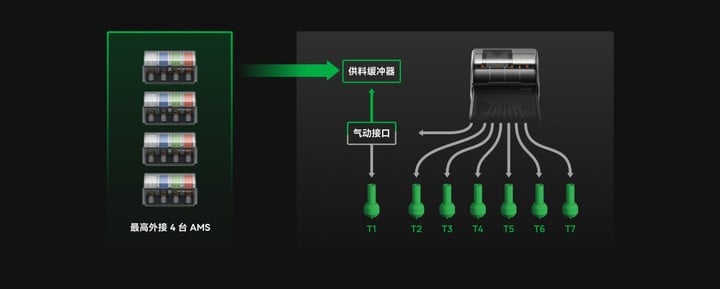
In addition to layered color printing with five base colors, the P3C also supports conventional multi-color printing solutions. With all 7 print heads installed, users can also connect up to 4 AMS units via print head No. 1, expanding the machine's multi-color printing capability to 22 colors.
3D printing also balances hard and soft
In terms of multi-material printing, the P3C likewise inherits the FlexFeed variable filament diameter extrusion technology from the H3C, supporting filaments of different diameters and different hardness.
For desktop 3D printers, flexible materials have always been harder to handle than conventional rigid plastics. Especially filaments like TPU 75A, whose softness is close to rubber, tend to buckle during feeding; even if they can print normally, considerable speed often has to be sacrificed.
Bambu Lab's solution is to use ultra-soft TPU filament with a thicker diameter. After opting for the corresponding dedicated print head, the P3C can print with 2.85mm diameter TPU 75A.
The roughly 2.65 times larger cross-sectional area makes the filament less prone to buckling during feeding, and combined with an extrusion mechanism that can automatically adjust the feed channel, it improves the feeding stability of ultra-soft filaments.
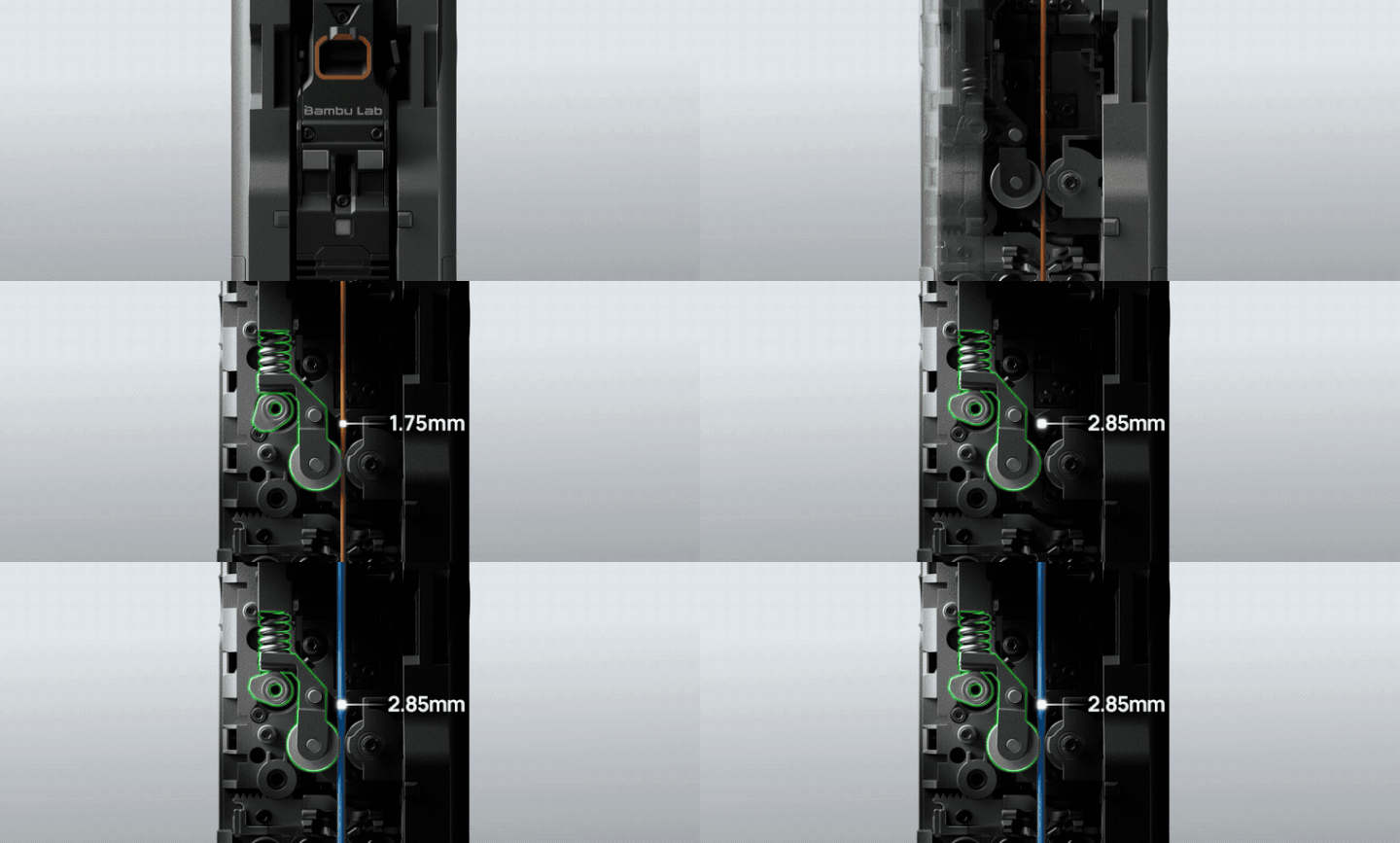
Image | FlexFeed variable filament diameter extruder structure demonstration / Bambu Lab
According to official data, under the same test conditions, the maximum volumetric flow rate of this solution when printing TPU 75A can reach 3 times that of the previous generation device using 1.75mm filament.
The combination of multi-head flash switching and flexible filament printing capability also allows the same object to have different hardness levels. For example, this pair of casual shoes showcased by Bambu Lab uses both softer TPU 75A and harder TPU 90A, meeting the different softness and support needs of different parts of the shoe.
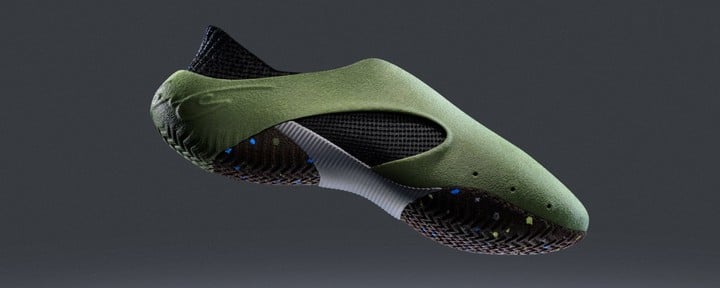
The two materials are handled by different print heads and formed in the same print job, eliminating the subsequent step of gluing different material parts together.
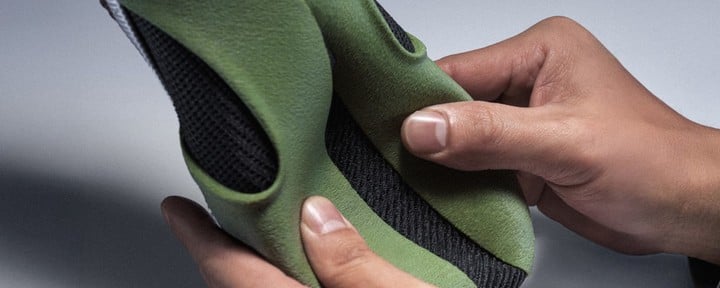
Similar designs can also be applied to phone cases: using rigid material for the back panel and flexible material to wrap around the phone's edges; or using rigid material for the main body of a tool grip, then printing a soft anti-slip area directly onto the surface.

Image | Maker World @麦克斯
For models such as robot figures, multi-material printing can also be used to combine flexible joints with hard shells, reducing the number of parts that need to be made and installed separately.

This also brings new ideas to 3D model design. Beyond shape and size, designers can assign different hardness, elasticity, and tactile feel to different parts of the same object based on actual use.
In addition to filaments, the P3C's multiple print heads can also be paired with nozzles of different diameters. Previously, when printing models with a 0.2mm small-diameter nozzle, even if only local text and textures required high precision, the entire model had to be printed slowly along with them. On the P3C, these fine details can be handled by the 0.2mm nozzle, while large-area structures are handled by the more efficient 0.4mm nozzle.
This wristwatch showcased by Bambu Lab uses three different print heads: the small-diameter nozzle handles the fine markings on the dial, the standard nozzle handles the hard case, and the dedicated TPU print head handles the soft strap.
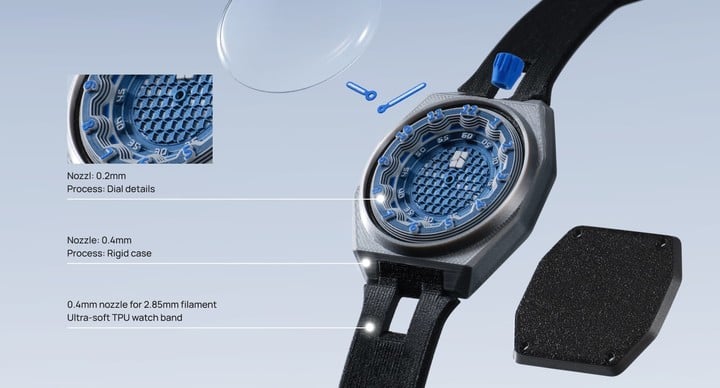
As for the P3C's two reserved expansion slots, Bambu Lab doesn't even require users to install print heads in them.
With a pen swapped in, the machine can draw patterns on paper; with a cutting blade swapped in, it can make stickers and cut paper. Bambu Lab also offers expansion options for flatbed processing tools such as embossing and cold foil stamping, and these accessories can all connect to the same flash-switching system.
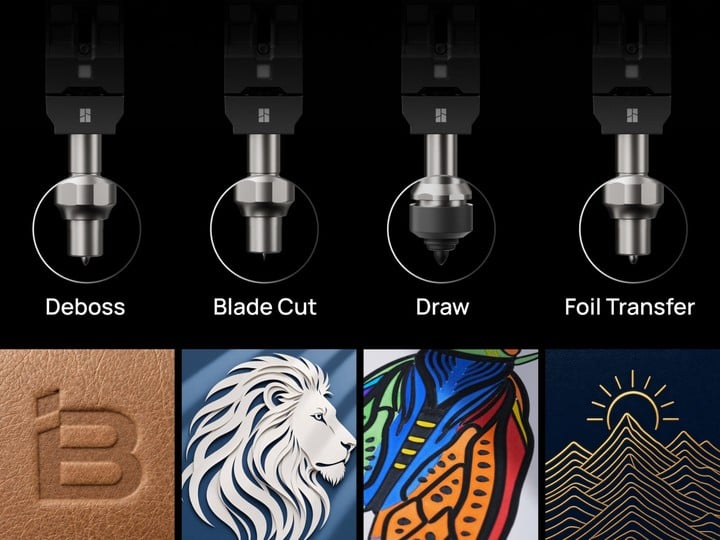
Flagship technology, mainstream price
Article title: Bambu Lab P3C Launched: Starting at 6,374 Yuan After National Subsidy, the Next Generation of 3D Printers Begins Competing on Value
Main text: Comparing the spec sheets of the P3C and H3C, it's clear that the two machines remain consistent on many core performance metrics: the maximum toolhead travel speed is 1400mm/s for both, the maximum travel acceleration is 25000mm/s² for both, and the maximum volumetric flow rate of the hotend is also 40mm³/s for both.
Combined with the multi-head flash-switching system mentioned earlier, the P3C largely retains the H3C's core hardware capabilities for routine printing tasks. The configuration differences between the two machines are mainly concentrated in build volume, temperature control, and filament management.
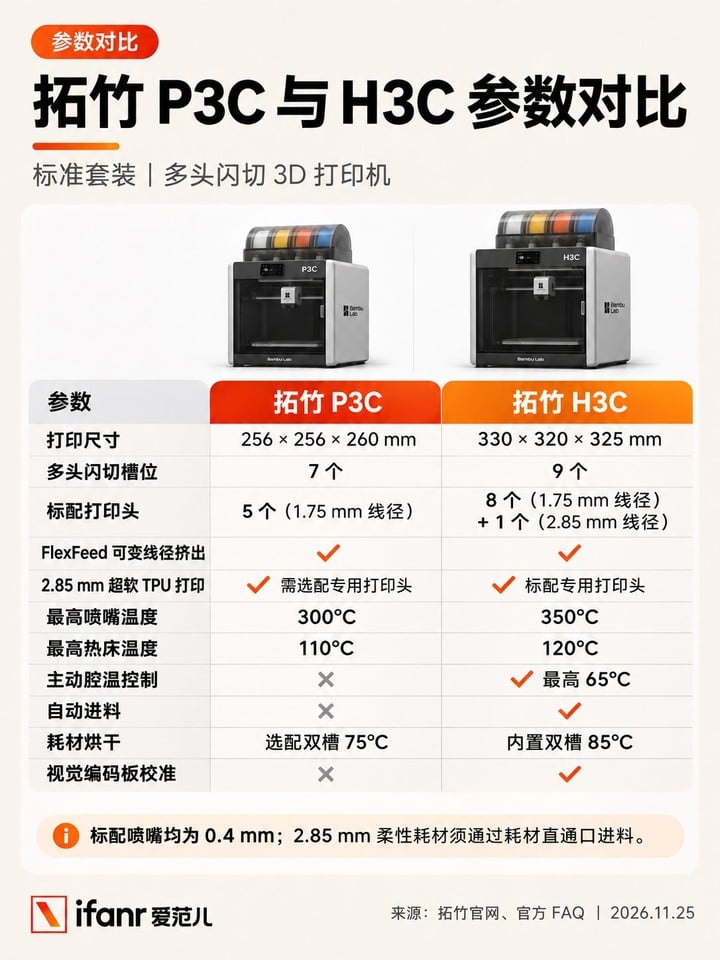
The P3C's build size is 256 × 256 × 260mm, essentially continuing the dimensions of the previous P series. Compared with the H3C's 330 × 320 × 325mm, its build volume is only about half of the latter's.
At the same time, the P3C's maximum nozzle temperature has dropped from 350℃ to 300℃, its maximum heated bed temperature has dropped from 120℃ to 110℃, and it does not feature an active chamber heating system.
Although the P3C also supports engineering filaments such as nylon, PC, and carbon-fiber-reinforced plastics, the H3C still offers better forming conditions when printing large-sized engineering parts that are sensitive to the temperature environment.
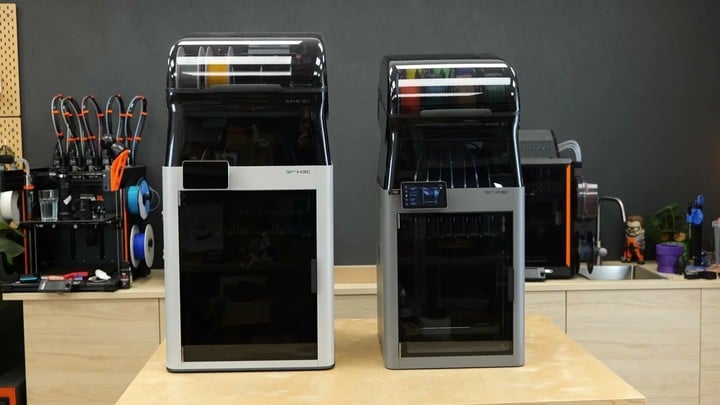
Image | CNC Kitchen
Another fairly noticeable configuration difference lies in the filament management system at the top of the machine.
The P3C is equipped with the all-new AMS 3P, which can centrally store up to 7 spools of filament inside an enclosed chamber, reducing exposed spools and feed lines.
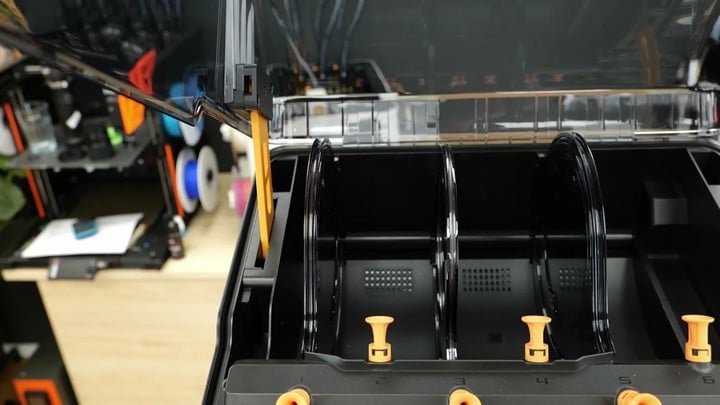
Image | CNC Kitchen
For filaments that easily absorb moisture, such as TPU and nylon, Bambu Lab also offers an optional dual-slot drying module supporting up to 75℃, and some compatible filaments can be printed while drying.
However, although the name still includes AMS, the AMS 3P itself does not have an automatic feeding function. Each time a spool is changed, the user needs to manually feed the filament into the corresponding printhead.
Since a multi-head printer allows commonly used filaments to remain loaded for long periods, this operation does not need to be repeated during printing, so for users with a relatively fixed set of filament types, the impact may not be significant.
But for users who frequently change filaments, or who have already gotten used to the automatic feeding experience of previous AMS systems, this is still a fairly obvious trade-off.
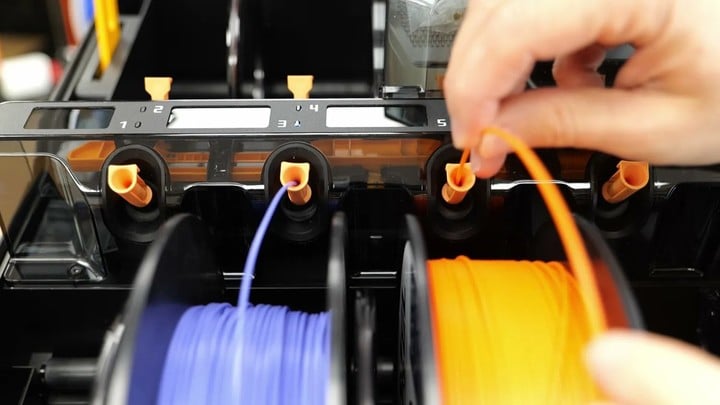
Image | CNC Kitchen
In terms of printing process automation, the P3C supports automatic position calibration of multiple toolheads, nozzle offset compensation, and heated bed leveling, and can also identify anomalies during printing through a visual monitoring system.
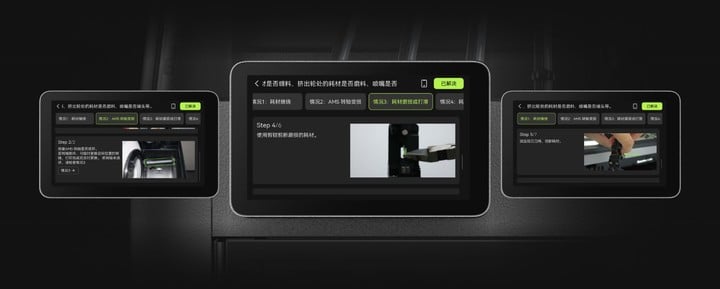
The all-new HMS health management system brings fault diagnosis and troubleshooting guides directly onto the machine's screen. The system sorts by the likelihood of the cause of the fault and provides corresponding illustrated operating instructions, reducing the hassle of users having to look up error codes and repair documentation themselves.
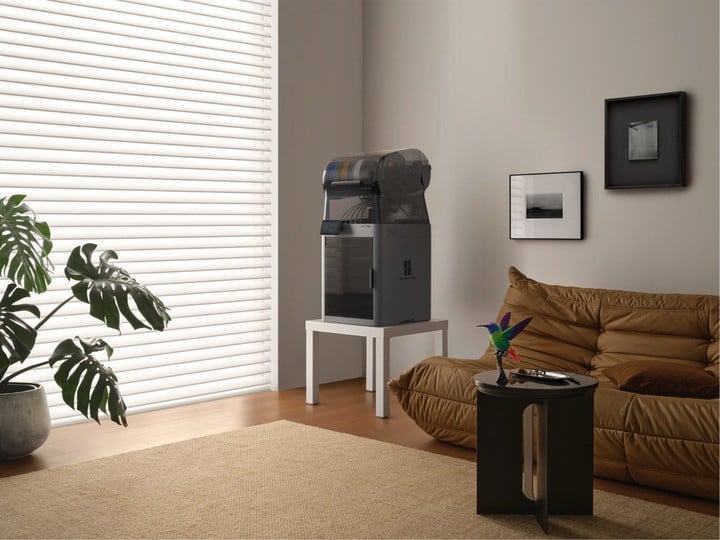
In addition, Bambu Lab has also prepared a dedicated workstation and the air purifier E1 for the P3C. The former provides a more suitable operating height as well as storage space for tools and filaments; the latter can further handle particulates and odors generated during printing beyond the machine's built-in filtration system.
From the P1P, which inherited the core motion system of the X1, to the P2S, which last year introduced multiple technologies from the H2 series, Bambu Lab's P series has consistently done one thing: bringing the practical new technologies from flagship models to more mainstream price points.
And the launch of the P3C this time also happens to coincide with a new round of technological iteration in desktop 3D printers.
At the Formnext 2026 exhibition in Frankfurt, Germany, which just concluded last week, according to a count by a Tom's Hardware reporter, there were 10 3D printers on display supporting automatic toolhead switching. Multi-head printing has become one of the most closely watched technology directions in desktop 3D printing this year.

Over the past few years, 3D printer manufacturers have been trying to shorten the time required to print a model. Now, they are starting to think about how to let users take things off the heated bed with fewer post-processing steps, fewer parts to assemble, and ideally ready to use right away.
This is also what Bambu Lab excels at—turning "manufacturing" into "intelligent manufacturing," condensing the capabilities of Guangdong's manufacturing industry onto everyone's desktop through the combination of software and hardware. Processing that once required different equipment and multiple steps can now be accomplished on a single desktop 3D printer.
In September this year, in OpenAI's promotional video for the launch of GPT-6 Astra, a Bambu Lab P1S appeared. In the video, the user used a few voice commands to have the AI complete the design and 3D modeling of a rocket, which was then turned into a physical object by the 3D printer.
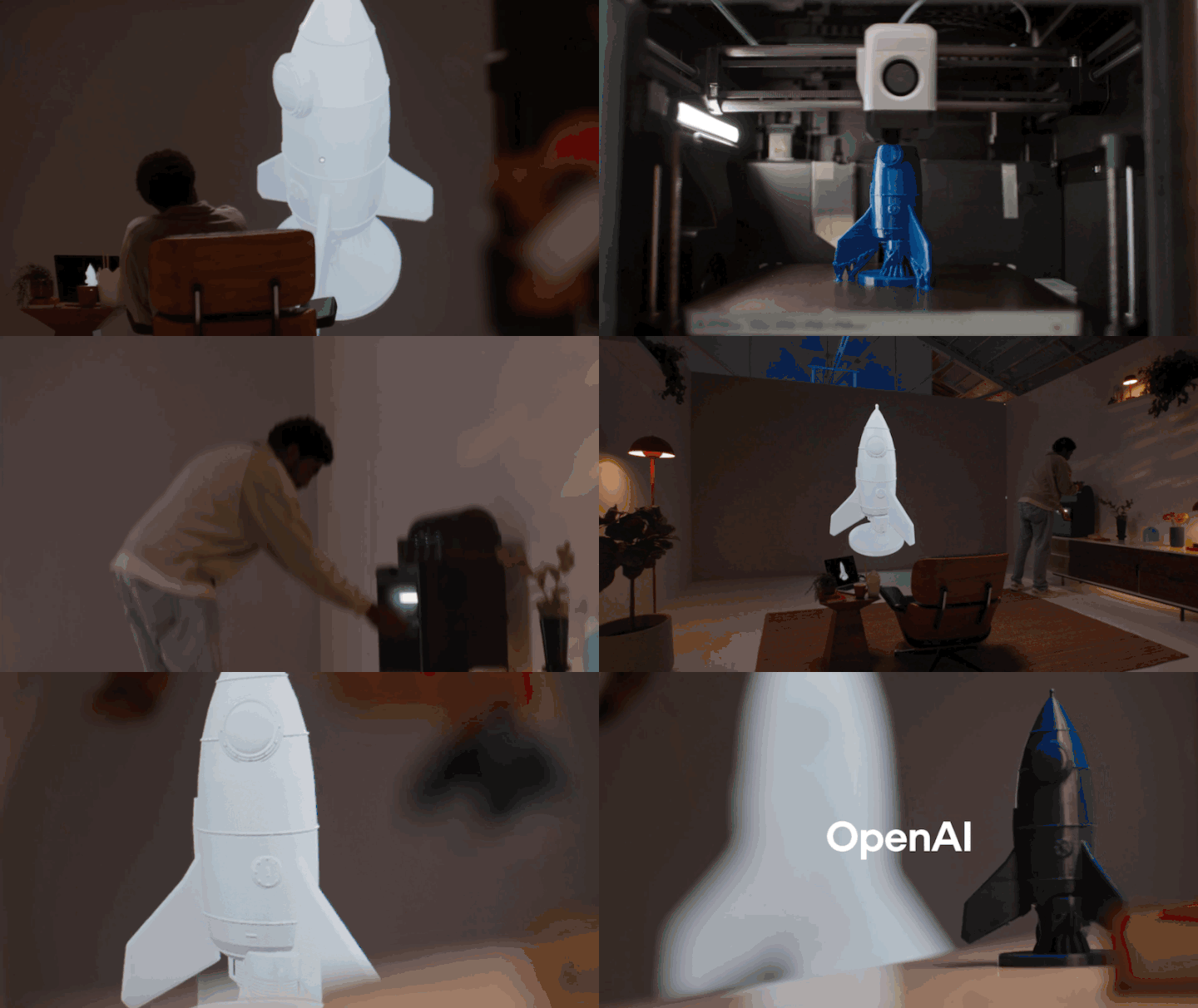
From a single idea to something you can actually hold in your hand, AI lowers the barrier to design and creation, while 3D printers make it possible for these ideas to become reality.
As the two tools gradually come together, the distance between personal creation and manufacturing is also becoming shorter and shorter.