AIFeed
Translation(model translation, not the source's own text)
开源 ·Apache-2.0
轻量级的 Postgres 只读副本替代方案,可直接替换。
相同的 SQL,相同的答案。但在分析型查询上极快。
        SELECT response_code, count(*)
FROM requests
GROUP BY response_code
相同的 SQL,相同的答案,快 81×
| response_code | count |
|---|---|
| 200 | 7,412,604 |
| 304 | 1,502,931 |
| 404 | 846,118 |
| 500 | 238,347 |
AWS m7g.xlarge · 4 vCPU · 16 GiB RAM · EBS gp3
为什么选择 Mason
- 轻量:Mason 是一个单个 Node.js 进程,可以在任何地方运行。它把所有配置和同步的数据都保存在运行目录下。
- 快速:Mason 会把你的 Postgres 数据同步到 DuckDB 的列式引擎中,并即时把你的 Postgres 查询改写为 DuckDB 跑得最快的形态。
- Postgres:Mason 从底层开始就对齐 Postgres 的语法和行为(而不是 DuckDB 的),因此你可以放心地把现有的 Postgres 查询指向它。
- 只读副本:你可以选择从 Postgres 数据库同步哪些表和列,以及每张表如何保持同步:按需、轮询或逻辑复制。
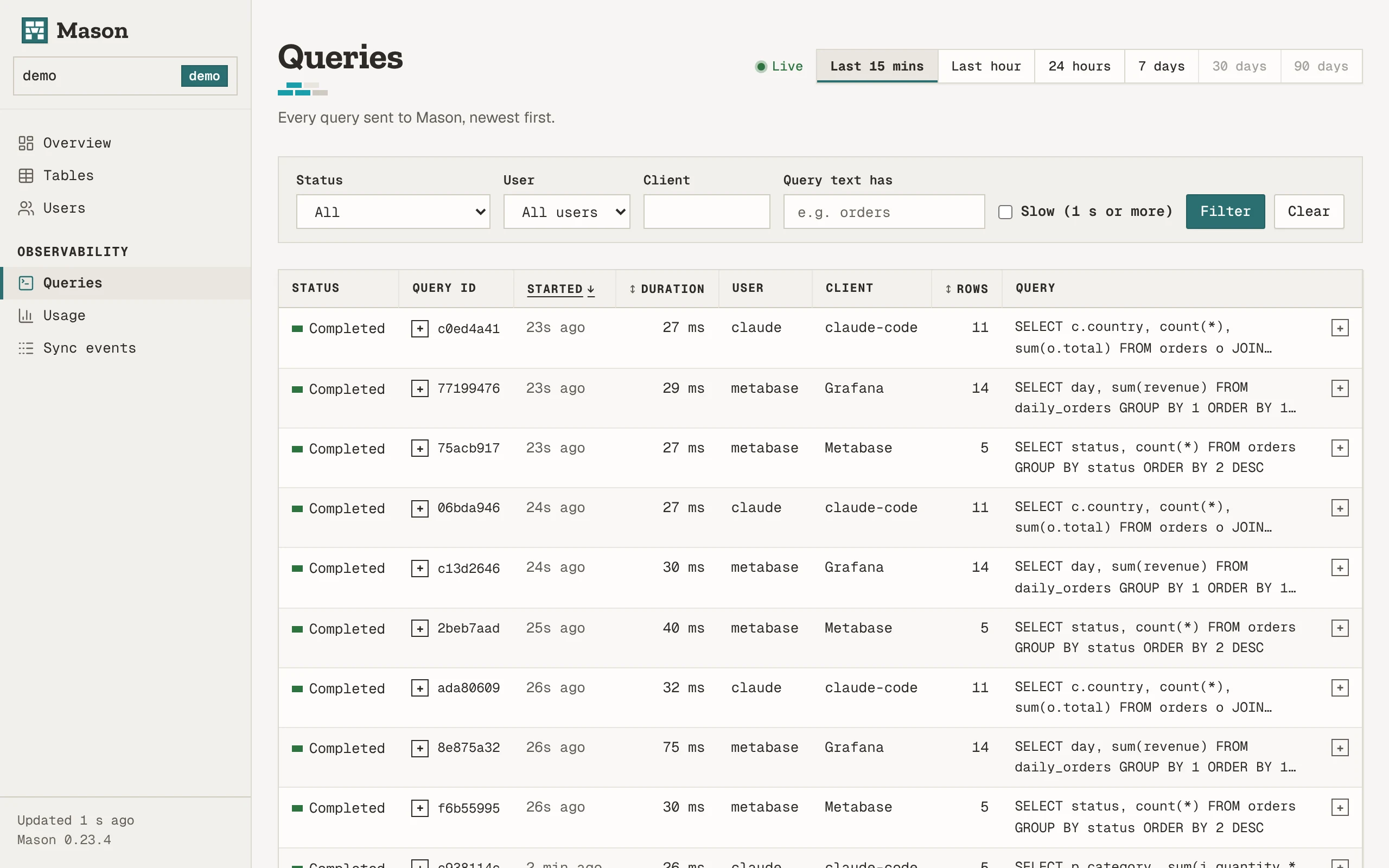
- 为 AI agent 而建:可以为每个 agent 添加一个用户,并通过基于角色的访问控制(RBAC)限制每个用户可读的表、列和行。每次查询都会记录是谁执行的、发送的 SQL、耗时,以及在被拒绝时如何修复。Mason 还内置了 MCP 支持。
几分钟内试用,随处运行
        $ npm i -g @mason-data/cli
$ cd my-app

# tell Mason which Postgres database to sync from
$ mason init 'postgres://me:[email protected]:5432/my_db'

# choose the tables to sync
$ mason add orders customers

# start Mason locally and wait for the first sync to finish
$ mason start && mason wait

# get a connection URL for your favorite Postgres client
$ mason user add me

# get results fast
$ psql "postgres://me:<password>@localhost:5433/mason" -c "SELECT country, sum(amount) FROM orders JOIN customers ON customers.id = customer_id GROUP BY country"

# or give it to your coding agent
$ claude mcp add mason --env MASON_URL="postgres://me:<password>@localhost:5433/mason" -- mason mcp

# done? stop Mason and delete its synced copy of your data
$ mason stop && mason destroy
自托管 →试用 Mason Cloud Free →
Mason 在哪些场景快,哪些场景不快
快
读取大量行的查询,例如对大表做计数、求和和分组聚合。也就是仪表盘、报表和 AI agent 常用的那类查询。
不快
只取少量行但涉及多列的查询,例如按 ID 查找单个订单。当你在少量列上查询大量行时,Mason 最快。
| 查询 | Postgres (s) | Mason (s) | Mason 表现 |
|---|---|---|---|
| 按状态计数 10M 行,10 个客户端 | 21.721 | 0.2595 | 快 84× |
| 按状态计数,100M 行,1 个客户端 | 216.068 | 0.4624 | 快 467× |
| SELECT status, count (*) FROM orders GROUP BY status ORDER BY status | |||
| 按月营收(一次 join)10M 行,10 个客户端 | 43.909 | 2.758 | 快 16× |
| 按月营收(一次 join),100M 行,1 个客户端 | 335.059 | 6.685 | 快 50× |
| SELECT date_trunc ( 'month' , o.created_at) AS month, date_trunc ( 'year' , c.created_at) AS signup_year, sum (o.amount) AS revenue FROM orders o JOIN customers c ON c.id = o.customer_id GROUP BY 1, 2 ORDER BY 1, 2 | |||
| 按主键查找 10M 行,10 个客户端 | 0.0388 | 0.2341 | 慢 6.0× |
| 按主键查找,100M 行,1 个客户端 | 0.0366 | 0.1013 | 慢 2.8× |
| SELECT * FROM orders WHERE id = '7c9e6679-7425-40de-944b-e07fc1f90ae7' |
        SELECT status, count(*)
FROM orders
GROUP BY status
ORDER BY status
        SELECT date_trunc('month', o.created_at) AS month,
       date_trunc('year', c.created_at) AS signup_year,
       sum(o.amount) AS revenue
FROM orders o
JOIN customers c ON c.id = o.customer_id
GROUP BY 1, 2
ORDER BY 1, 2
        SELECT *
FROM orders
WHERE id = '7c9e6679-7425-40de-944b-e07fc1f90ae7'
文章标题:Show HN: Mason – 一个轻量级的 Postgres 只读副本,构建于列式存储之上
正文: 从冷启动开始:每次运行前,每个引擎都重启,页缓存都被清空。1 个或 10 个客户端在同一时刻发送查询,计时直到每个客户端都拿到答案,取 3 次运行的中位数。实际结果会因数据的大小和分布而有所不同。
功能特性
- 基于角色的访问控制:Mason 为每个工具、AI agent 或客户提供各自的登录账号,其角色决定它可以读取哪些表和列。你可以随时添加、禁用或移除用户,变更立即生效。
- 行级安全:你可以将每个用户限制在其自己的行内,例如某个客户的行。Mason 通过跟随外键,将同样的限制应用到相关表上。
- 生成表:它们类似物化视图,但 Mason 会为你保持其更新。它们不会给你的数据库带来额外负载。
- MCP:Mason 有自己的 MCP server,因此像 Claude Code 和 ChatGPT 这样的 AI agent 可以查看你的表并运行查询。每个 agent 只能看到其角色允许的内容。
- 监控:Mason 与你已经在用的监控工具配合工作。Prometheus 和 Grafana 可以在 /metrics 读取其指标,uptime 检查、Kubernetes 和 ECS 可以在 /healthz 检查其健康状态。它将日志写入 stdout,因此 Datadog 或 CloudWatch 可以收集它们。你还可以通过 mason logs 和 mason usage 回顾每一次查询、每一次同步事件,以及 Mason 的繁忙程度。
- IP 允许列表与 TLS:你可以将每个用户限制在其连接的 IP 地址上。Mason 还可以加密每一个连接,使用你自己的证书,或使用它为你生成的证书。
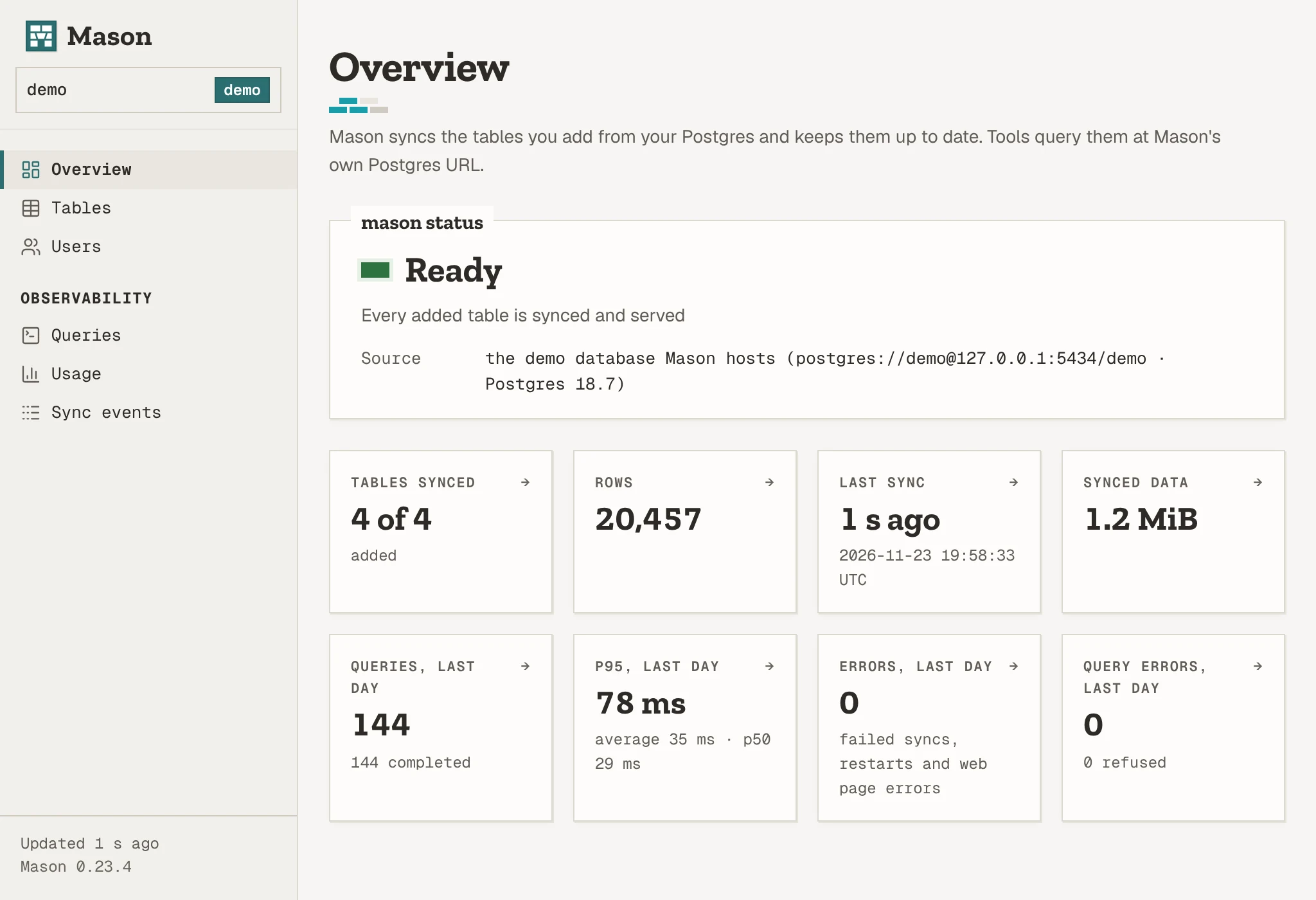
- Web UI:运行 mason ui 打开一个网页,你可以在其中添加表和用户。该页面还会实时显示查询、使用情况和同步事件。