 AIFeed
An AI video editor built for your agents
Daydream is a single creative workspace for collaborating with AI to create and edit dynamic video content.
Free to use · No credit card required · Mac and Windows
hawaii
Used by people at
Plug into the AI you already use.
Daydream connects seamlessly to your existing AI workflow. Wire up Claude, ChatGPT, or any other agent harness, and bring its full context, tools, and reach right into Daydream’s timeline.
Showcase
More accurate AI edits.
Daydream uses state-of-the-art transcription and video processing, so your agent knows what’s on screen and what’s being said, resulting in cleaner cuts and more precise edits.
An editor built for agents.
Traditional video editors are designed for humans. Daydream is built for agents, so it can edit videos in parallel, give your agent precise context for every operation, and remember your preferences across projects.
Launch Video
Automate edits at scale.
Daydream saves the steps behind every edit, from how tightly you cut pauses to your caption styles and graphics. Drop in new footage and your agent applies them automatically, video after video.
Capabilities
Everything you need to turn raw footage into polished video.
Full Editing Toolkit
Cut, trim, color grade, mix audio, and add b-roll, all by asking your agent.
Transcript Powered Editing
Cut out bad takes, silences, and filler words by editing the transcript. Or ask the AI to do it for you!
Captions, Your Way
Create custom captions that look exactly the way you want by asking the agent.
Real-Time Preview
Every change your agent makes shows up instantly in the preview.
Custom Effects & Graphics
Describe a look and Daydream’s graphics and shader engine builds it.
Short Form & Long Form
Edit videos in both 16:9 or 9:16 and easily swap between them based on your needs.
Fits Your Workflow
Export directly into an MP4 or into Final Cut Pro, DaVinci Resolve, Premiere Pro, or CapCut.
Local & Private
Your footage stays on your device and is never uploaded or stored in the cloud.
Multi-Language Support
Edit videos and generate transcripts in over 30 supported languages.
See Daydream in action.
Testimonials
See what our customers say.
Read more on our Wall of Love.
图表:Mitchell Ali Founder, leadR
“Daydream is the backbone of our whole content operation. We grew Harry's channel to 2,000 subscribers in a month off the back of it, because it takes us from raw footage to a finished, agency-quality edit in a fraction of the time. Every editor on our team runs on it.”
Mitchell Ali
Founder, leadR
图表:Jori Kerr Content & Community Manager, Go Overseas
“I've tested countless AI editors that promised to automate the editing process, but they never delivered. Until I tried Daydream. This product reduces my editing time by 80-90% and is truly the most accurate and intelligent editing tool I've ever used.”
Content & Community Manager, Go Overseas
图表:Louiemark Ambata Manager of Video Production, Housecall Pro
“Daydream takes hours of footage and breaks it down in minutes, handling the heavy lifting at the start of my workflow so I can focus on the actual storytelling and editing. It easily saves me a couple hours per project. The UI is also amazing!”
Louiemark Ambata
Manager of Video Production, Housecall Pro
图表:Phillip Shepard Realtor & Creator, All Things NWA
“As someone who knows video editing inside and out, Daydream is by far the best agentic video editing tool I've come across. I've searched high and low, tried to build my own, tried all kinds of different things, and Daydream is the best. It's amazing.”
Phillip Shepard
Realtor & Creator, All Things NWA
图表:Sebastian Grigore Head of Growth, Teleport by Varjo
“Getting to v1 of a video used to be a huge effort with a lot of friction for me. Daydream has made it far easier, and allowed me to post more without investing significantly more time in editing. It saves me hours every week.”
Sebastian Grigore
Head of Growth, Teleport by Varjo
图表:Nathan Gupta Digital Creator, NKG Media
“Daydream has made me fall in love with video editing again! It feels so intuitive and familiar, while using AI to remove the boring, tedious parts of the process. I can't imagine editing a project without it going forward.”
Nathan Gupta
Digital Creator, NKG Media
Transform your editing workflow today.
For users just trying us out.
- +Full editor capabilities
- +Unlimited exports, up to 4K, no watermark
- +Export to DaVinci Resolve, Premiere Pro, Final Cut Pro, and CapCut
- +AI b-roll search
- +1 hr/month of transcription
- +1 hr/month of video processing for search
- +100 MCP tool calls a month
For individuals editing and shipping their own videos.
per seat per month, billed annually
Everything in Free, plus:
- +Save up to 3 graphics and custom caption styles and drop them into any project
- +Save 1 recipe: a set of editing instructions to automate future edits
- +10 hrs/month of transcription
- +20 hrs/month of video processing for search
- +Unlimited MCP tool calls
For professionals building AI powered content workflows.
per seat per month, billed annually
Everything in Creator, plus:
- +Unlimited saved graphics
- +Unlimited saved custom caption styles
- +Unlimited recipes: save different editing instructions for each type of content, client, or channel
- +30 hrs/month of transcription
- +60 hrs/month of video processing for search
- +Priority support
- +Early access to new features
For agencies & teams looking to become AI native to edit and publish video at scale.
for teams with advanced needs
Everything in Pro, plus:
- +Shared graphics library: build and save graphics your whole team can access
- +Shared recipes: build editing instructions that every editor can work from
- +Custom transcription limits
- +Custom video processing limits
- +Founder-led onboarding
- +Dedicated support
- +Feature request priority
Questions, answered.
Daydream is a desktop video editor that lets you edit videos using your existing AI agents like Claude and Codex in a single, collaborative editing interface. It lets you easily remove silences and bad takes, generate motion graphics, create custom captions and more using just chat. Read the getting started guide.
Yes. Daydream connects to your existing Claude Code or Codex account through its built-in chat, so your agent can cut bad takes, add b-roll, style captions, and build motion graphics directly on your timeline. Check out our guide on how to connect Daydream to your Claude Code or Codex.
Yes. Daydream runs a local MCP server, so any MCP client (Claude Code, Codex, Cursor, or your own agent) can control the editor: importing footage, placing clips, editing transcripts, generating graphics, and exporting. See more on how to connect an agent via MCP.
Yes. Daydream has a free plan that includes full editing capabilities, unlimited watermark-free exports, and monthly AI allowances: 1 hour of transcription, 1 hour of video processing for AI search, and 100 MCP tool calls. Paid plans raise those limits, starting at $25 per month ($20/mo billed yearly).
Yes. Daydream runs on Windows 10 (version 22H2) and Windows 11, 64-bit, as well as macOS on Apple Silicon and Intel, with the same features on both. See the Windows system requirements.
No. Daydream is local-first: your footage stays on your device and is never uploaded or stored in the cloud.
Yes. Daydream exports your timeline as an XML file that imports into Final Cut Pro, DaVinci Resolve, Premiere Pro, and CapCut, or you can render a watermark-free MP4 directly. How exporting works.
Both. Daydream supports 16:9 and 9:16 aspect ratios, so you can edit YouTube videos and podcasts alongside TikToks, Reels, and Shorts, with transcription in over 30 languages.
Guides for editing with AI.
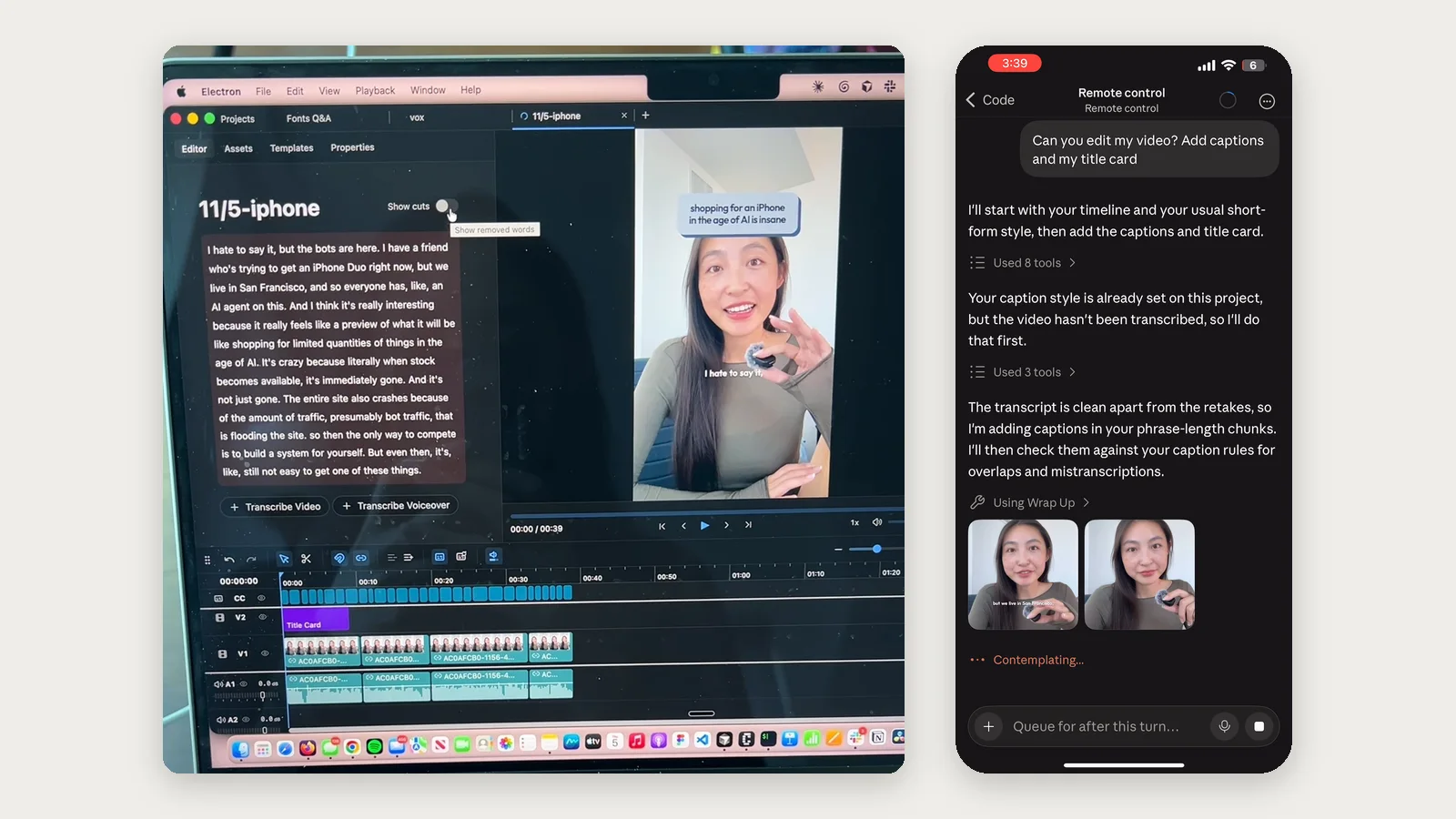
How to Edit Video With Claude From Your Phone

How to Make Vox-Style Motion Graphics With AI (+ Free Skill)
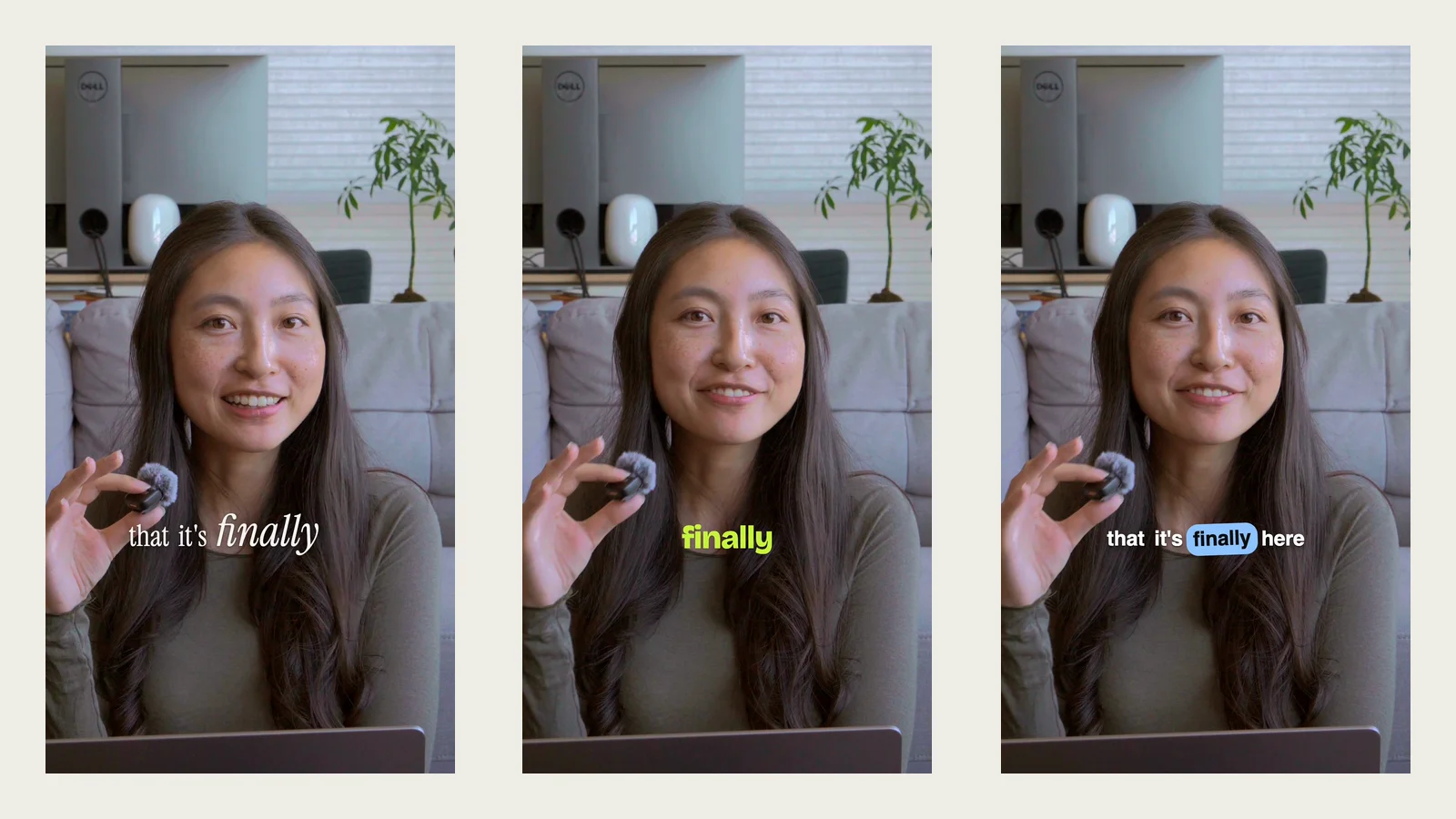
How to Make Custom Animated Captions for Your Videos with Claude & ChatGPT (+5 Free Templates)
Less time editing, more time creating.
Download Daydream for free today and make your first AI-assisted edit